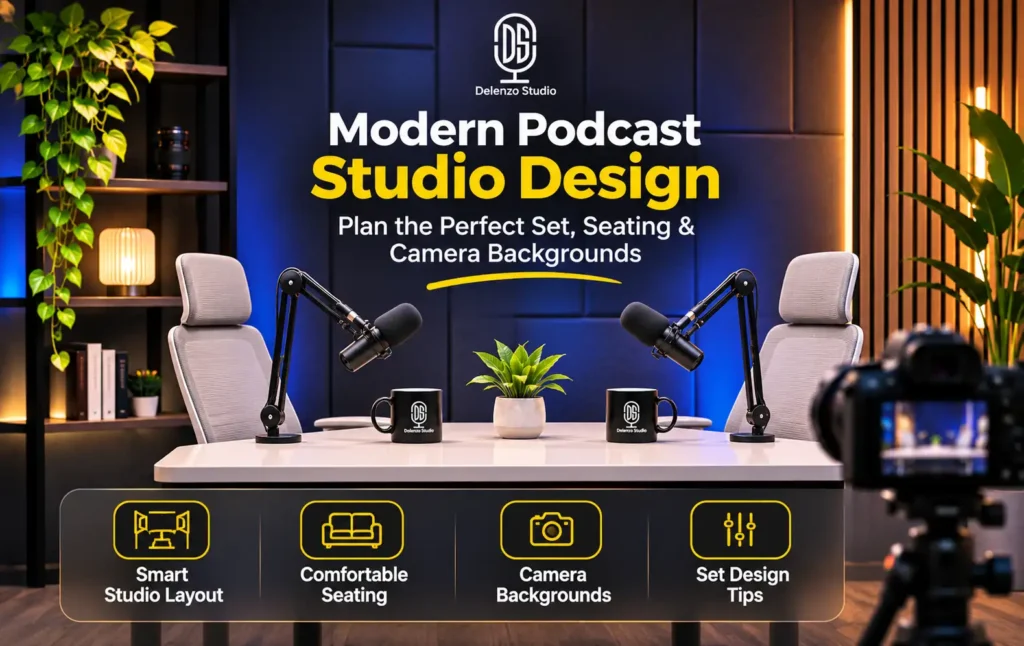
Most podcast sets look fine in person and flat on camera. The fix is rarely a bigger budget. It’s better planning.
Modern podcast studio design comes down to five decisions that work together:
- Your show format and visual identity
- Seating that suits that format
- Camera framing, including vertical crops
- Background colour, texture and props
- How lighting, mics and guest comfort fit the set
Skip that order, buy a sofa and a backdrop first, and you’ll fight your own set in every edit. Follow it, and the room holds up in every shot, from the wide angle to a 30-second Reel.
Good podcast set design is not about filling a room with nice things. It’s about making each choice to support the conversation. Below, we break down each decision with layout rules, real numbers and the mistakes we see when creators record at Delenzo Studio in Gulberg V, Lahore.
Sofa vs. Desk vs. Roundtable: Which Podcast Setup Works Best?
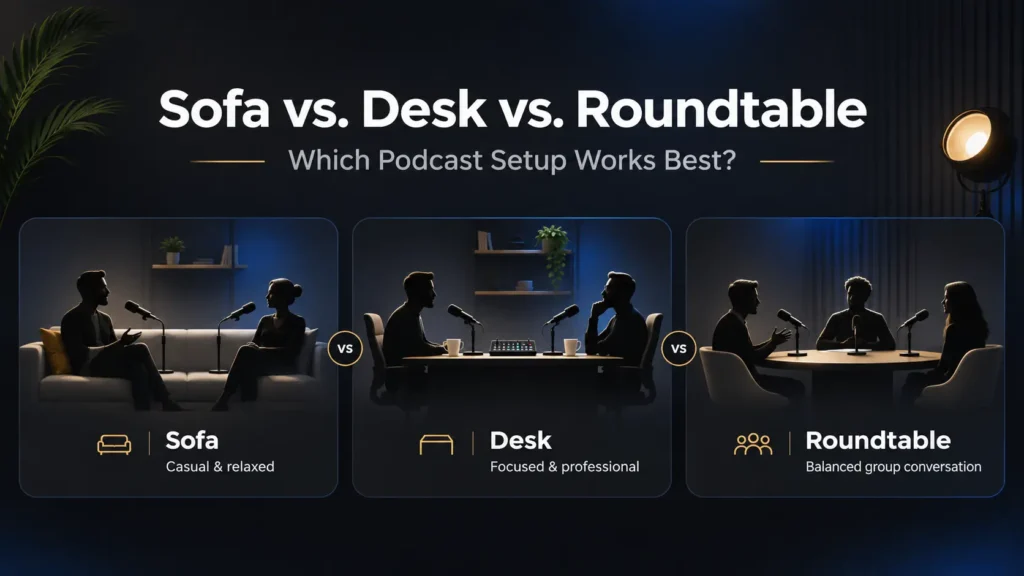
The best setup depends on how many people talk and how formal your show feels. Sofas suit relaxed interviews. Desks suit solo or two-host shows. Roundtables suit panels of three or more.
Anyone working out how to design a podcast studio should settle this first, because seating decides your camera positions, mic placement and room size.
Sofa or Armchair Seating
This is the go-to for casual interviews and storytelling. Guests relax faster when they sink into a comfortable chair, and that ease shows on camera.
The catch is structure. A loose sofa layout can look messy if sightlines aren’t planned. Two armchairs angled about 45 degrees toward each other usually frame better than one long sofa. Each speaker gets their own space, and the camera can catch both faces.
Desk Setup
A desk gives a structured, broadcast feel. It works well for solo shows, news-style commentary and two-host formats.
It’s also the most practical choice for small rooms. Cables, audio interfaces and laptops hide under or behind the desk. Mic arms clamp to the edge, so floor stands aren’t needed.
Roundtable
Panels with three or more guests belong at a roundtable. No one looks like “the main person” just because of where they sit. Every voice gets equal visual weight.
A round table also keeps open sightlines between all guests, which makes eye contact natural. It does need the most floor space, plus room for extra cameras on different sides.
Quick Comparison
| Seating Type | Best For | On-Camera Feel | Space Needed |
|---|---|---|---|
| Sofa/armchair | Casual interviews, storytelling | Relaxed, intimate | Moderate to large |
| Desk | Solo or two-host, broadcast-style | Structured, professional | Small to moderate |
| Roundtable | Multi-guest panels (3+) | Equal, collaborative | Large |
Layout Rules That Apply to Every Setup
Whichever style you pick, a solid podcast studio layout follows the same basics:
- Keep sightlines open. Hosts, guests and cameras should see each other without a mic, lamp or prop in the way.
- Leave breathing room. Space around mics, lights and furniture stops people from leaning into awkward postures.
- Pick quiet furniture. Chairs that creak, swivel or squeak will show up in your audio. Test every seat before you buy.
- Go modular if you host many shows. Lightweight chairs and side tables let you switch from a two-person chat to a panel in minutes.
Useful podcast studio seating ideas start with these rules, not with a furniture catalogue. Once the seating is fixed, the rest of your podcast room design has a clear starting point.
Camera Framing Tips for Professional Podcast Videos
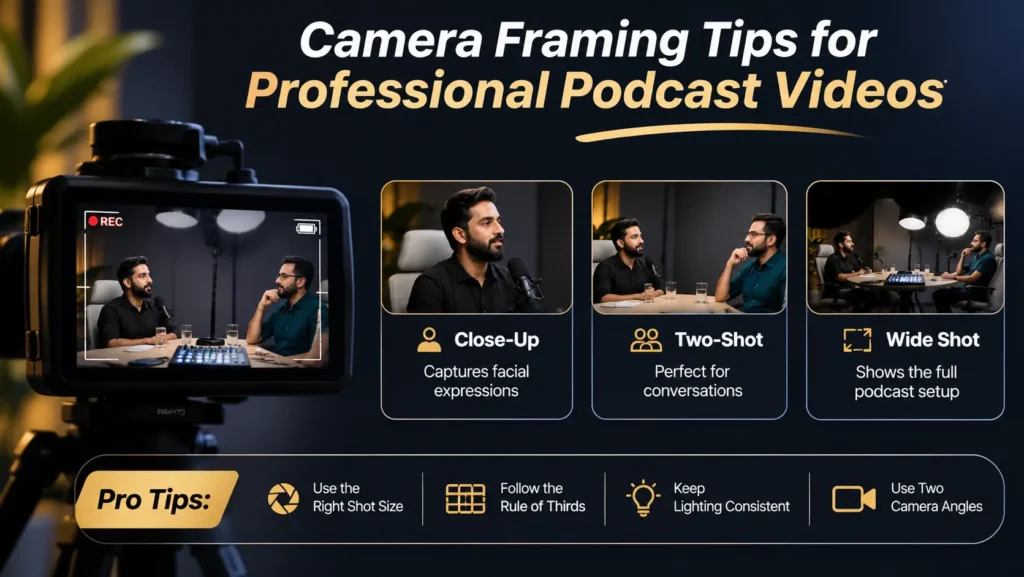
A podcast set today has to work in three frames: the wide shot, each speaker’s close-up and a vertical crop for Shorts, Reels and TikTok. Most set guides only plan for the first one. That gap costs creators usable clips.
Solid podcast set design for video recording means checking your set at every zoom level before the first episode.
Wide or Establishing Shot
The wide shot shows the full set: seating, background and enough of the room to set the mood. Viewers see everything at once here, so it’s the shot most affected by background and prop choices.
If a shelf looks crowded or a light stand peeks in, the wide shot will expose it first.
Speaker Close-Ups
Each close-up needs its own clean background. Don’t treat it as a cropped slice of the wide shot.
That means placing texture and props so they look intentional behind each person. A plant over the guest’s left shoulder or a lit shelf behind the host gives each frame depth. At Delenzo Studio, a 50mm lens is part of the podcast camera setup. It gives flattering close-ups and softly blurs the wall behind the speaker.
Vertical Crop Planning
Most sets fail right here. A 9:16 vertical crop taken from a 16:9 wide shot keeps only about 32% of the frame’s width. Anything near the left or right edge disappears.
For reliable podcast set design for vertical video, keep these inside the centre zone:
- Your logo or main branding
- Key props that tell viewers what the show is about
- Each speaker in a two-person shot, seated closer than feels natural in person
Vertical safe zone: what survives a 9:16 crop
- 4K source: the crop is about 1215 pixels wide, sharp on a phone
- 1080p source: the crop is about 608 pixels wide, soft when stretched
- Quick test: record ten seconds, crop it to 9:16 and check what survives
Resolution matters too. A vertical crop from 4K footage is about 1215 pixels wide, which still looks sharp on a phone. The same crop from 1080p is only about 608 pixels wide and turns soft when stretched.
Framing Checklist
| Shot | What It Shows | Design Check |
|---|---|---|
| Wide | Full set and room | No clutter, no visible stands or cables |
| Close-up | One speaker and wall behind | One prop or texture per frame, nothing growing out of heads |
| Vertical 9:16 | Centre third of the frame | Logo, props and speakers all inside the crop |
This is what podcast studio design landscape and vertical framing means in practice: one recording, two aspect ratios, no lost speakers. A set that only works in landscape is now an unfinished design. Most clients expect ready-to-post vertical clips from the same session.
Your podcast camera background setup should be tested with a quick phone check. Record ten seconds, crop it to 9:16 in any editing app, and see what survives.
Podcast Background Design Tips for a Strong On-Camera Presence
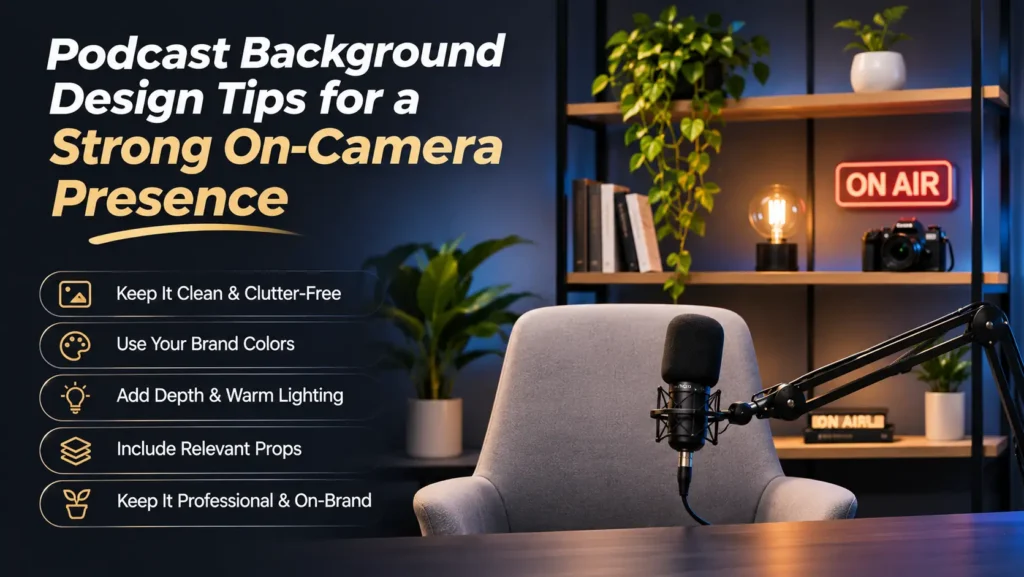
Your background does more work than any piece of furniture. It sets the mood, carries your brand and decides whether the frame feels deep or flat. In modern podcast studio design, four background choices matter most: colour, texture, props and logo placement.
Colours That Hold Up Under Studio Lights
Deep tones like navy, charcoal and slate look best on camera. They keep skin tones as the brightest part of the frame, so viewers’ eyes go straight to the speaker.
Two colours cause trouble:
- Pure white overexposes under studio lights and makes faces look dull by comparison.
- Warm beige often looks dated and blends into skin tones.
If your brand has strong colours, use them as accents. A teal cushion or an orange light strip says more than a fully painted orange wall.
Textures That Add Depth
Flat paint reads as flat on camera. Textured surfaces catch light and create shadows, which gives the frame depth.
These work well:
- Fabric-covered acoustic panels, which also cut room echo
- Wooden slat panels or faux wood finishes
- Brick-look panels for an urban, casual vibe
Acoustic panels are the smartest pick because they fix sound and looks at the same time. Many podcast background ideas Pakistan creators find online come from large US studios. Here, a local carpenter can build slat or fabric panels to size for far less than imported options.
Props With a Purpose
Props should reflect your show’s topic and tone. A business podcast might use a few books and a small award. A tech show might feature one vintage camera or a gadget shelf.
Keep it to three to five pieces. Too many objects compete with the speakers, and viewers stop watching faces.
Logo Placement
For long-form conversation, one subtle branded element is enough. Think of a small neon sign or a backlit logo on a shelf.
Save large, full-logo backdrops for event recordings or dedicated social clips. In those formats, brand visibility matters more than a relaxed, chatty feel.
The best podcast background ideas mix all four elements. Picture a dark slat wall, two lit props, a warm practical lamp and one small logo. It looks simple, yet it holds up in every shot.
How to Balance Lighting, Audio Setup & Guest Comfort in Your Podcast Studio
A set that looks great on its own can still fail once lights, mics and real guests arrive. Typical guides treat these as separate topics. In a working studio, they are one system.
Light the Background Separately
Give the background its own light source. Without one, the wall falls into the speaker’s shadow or looks flat and lifeless.
Simple options include:
- A small RGB tube light, such as the Godox TL30, placed low behind a plant or shelf
- A warm practical lamp in the frame, which adds a cosy glow
- An LED strip behind wooden slats to pull out their texture
Sit speakers about 1 to 1.5 metres in front of the wall. That gap stops body shadows from landing on the background and adds natural depth.
Keep Mics Out of the Way
A visible boom arm can ruin an otherwise clean frame. Bring mic arms in from the side or from below, or use a low-profile arm such as the Elgato Wave Mic Arm LP.
Mic position also shapes seating. The most common sound problem we see with new guests is sitting too far from the mic. Chairs that let guests lean back too far make this worse. Pick seats that keep people upright and close to the capsule.
Comfort Is Part of the Design
Recording sessions usually run 45 to 90 minutes. A chair that looks stunning but offers no back support leads to fidgeting, slouching and shifting on camera.
Look for fixed-leg chairs with firm cushions and armrests. Avoid swivel office chairs, since they creak and invite rocking. In modern podcast studio design, comfort and visual style are the same decision.
For the actual lighting setup, from key light to fill, read our guide on studio lighting tips for a professional podcast setup.
Original Delenzo Studio Examples
Every set at Delenzo Studio is planned around how creators actually record here. A typical episode runs 30 to 45 minutes with a host and one guest, often in Urdu mixed with English. Footage is shot in 1080p or 4K, with one mic per speaker. Our team handles the mic, camera and lighting setup before each session.
After recording, AI clipping usually suggests 10 to 15 short moments, and creators publish 3 to 5 of them. That’s why each set below was checked in wide, close-up and vertical frames.
Set 1: Podcast Setup
Built for: Two-person interviews and co-hosted shows, with room for 2 to 4 people. A typical episode runs 30 to 45 minutes, often in Urdu mixed with English.
Audio setup: RØDE NT1, Audio-Technica AT2020 and RØDE PodMic mics run through a RØDECaster Pro II. Every speaker gets their own mic, and the room is soundproofed.
Camera and framing: A 50mm lens gives clean close-ups with a soft background. Footage is shot in 1080p or 4K, so vertical crops stay usable.
Clips from one session: AI clipping usually suggests 10 to 15 moments per episode. Creators publish 3 to 5 of them as Shorts or Reels.
Background and lighting: Dark textured acoustic panels sit behind the speakers with their own background light. A few show-related props stay centred to survive close-ups and vertical crops.
Set 2: Product Photography
Built for: E-commerce listings, brand catalogues and social media product shots.
Backdrops: Chroma green, white, black and brown. One room covers clean listing photos and moodier brand shots.
Lighting: Shares the video studio‘s kit of Amaran 100x and 200x lights, softboxes and LED panels. Most Daraz and Amazon listing shoots here use a 1.5:1 key-to-fill ratio.
Design link to podcast sets: The same rules apply. Darker backdrops keep eyes on the subject, and props stay limited to a few purposeful pieces.
Styling and props: A tabletop shooting surface holds each product at camera height. Props are added and changed to match each product’s requirements, keeping focus on the product.
Set 3: Events and Workshops
Built for: Workshops, meetups, product showcases and small corporate gatherings of 20 to 24 people.
AV setup: A projector plus live-streaming, so an in-person session can reach a remote audience at the same time.
Seating choice and why: Movable chairs switch between theatre style for talks and classroom or cluster style for hands-on workshops. With 20 to 24 guests, every seat keeps a clear view of the screen and speaker.
How it holds up on camera: A wide angle from the back captures the speaker and screen together for the live stream. A closer angle on the speaker gives clean recap clips, with the speaker centred so vertical crops work.
Common Mistakes in Podcast Studio Design
These six errors show up again and again, even in studios with big budgets. Each one has a simple fix.
- Buying furniture before choosing a format. The set looks nice but doesn’t match the show. Decide your format and tone first, then shop.
- Designing only for landscape. Logos and second speakers vanish in Shorts and Reels. Test a 9:16 crop before your first episode.
- Using flat-painted walls as the main background. Plain paint looks lifeless on camera. Add acoustic panels, wood slats or another textured surface.
- Overcrowding the frame. Too many props or an oversized logo pull eyes away from faces. Stick to three to five meaningful items.
- Choosing looks over comfort. Stiff or deep chairs cause fidgeting over a long session. Sit in every chair for 20 minutes before buying.
- Leaving gear in the shot. Cables, light stands and boom arms cheapen a clean set. Route cables behind furniture and bring mics in from the side.
Conclusion: Modern Podcast Studio Design That Works on Every Camera and Every Crop
A great set starts with your show, not your shopping list. Pick a format and tone, then choose seating that fits it. Plan background colour, texture and props on purpose. Finally, check that everything holds up in the wide shot, each close-up and the vertical crop.
Get those steps right and your modern podcast studio design will deliver full episodes and social clips from one recording.
If you’d rather skip the build, book a session at Delenzo Studio in Gulberg V, Lahore. Our sets are already planned for wide, close-up and vertical framing, and our team sets up the mics, cameras and lights for you. You just show up and talk.
To turn those episodes into a growing channel, see our YouTube channel management service, or explore our video studio for other shoots.
Record on a set that is already planned for every frame
Book Your Podcast StudioFrequently Asked Questions
A sofa setup feels relaxed and suits casual interviews, but needs careful framing. A desk setup looks structured, hides cables easily and fits small rooms, making it ideal for solo or two-host shows.
Navy, charcoal and slate work best because they keep faces as the brightest part of the frame. Pure white overexposes under studio lights, while warm beige can look dated. Add brand colours as small accents.
Keep your logo, main props and every speaker inside the centre third of the wide frame, since a 9:16 crop keeps only about 32% of its width. Shoot in 4K so vertical clips stay sharp.
Three to five intentional props is usually enough. Choose items that reflect your show’s topic, like books for a business podcast or a vintage camera for a tech show. More than that pulls attention from speakers.
Yes. Recordings often run 45 to 90 minutes, and uncomfortable chairs lead to fidgeting, slouching and shifting on camera. Fixed-leg chairs with firm cushions and armrests keep guests upright, relaxed and close to the mic.