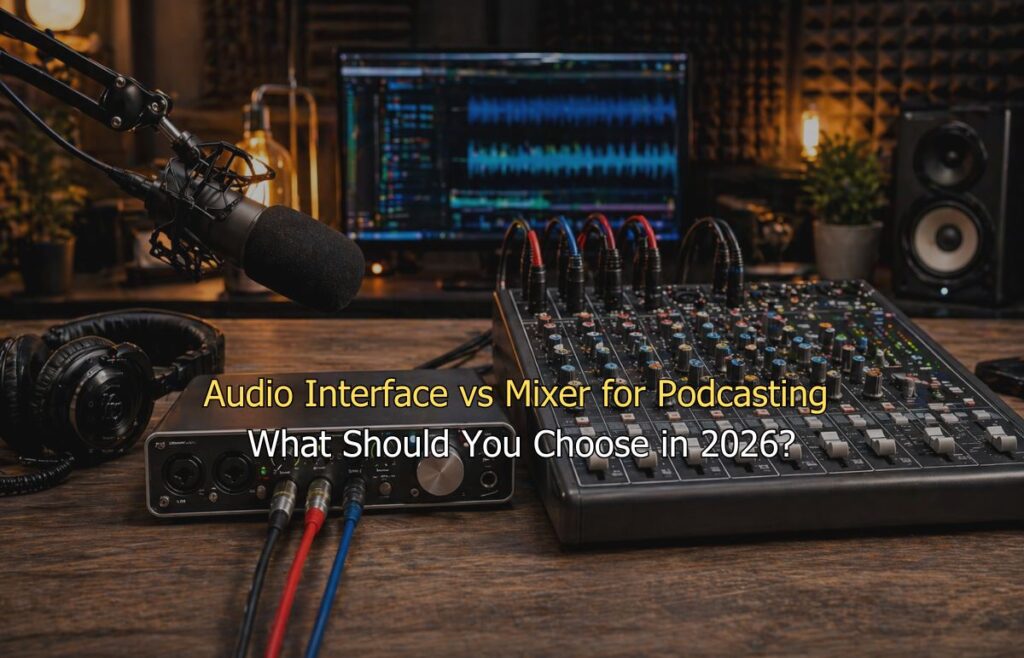
You are ready to start your podcast. You have your microphone. Now comes the question that trips up almost every new podcaster: do you need an audio interface or mixer? Both connect your microphone to your computer. But they work very differently. The wrong choice costs you money and creates headaches in post-production. The right choice makes everything simpler from day one.
So, this guide breaks it all down in plain English. No tech jargon. No filler. Just clear, honest advice so you can build your podcast audio setup with confidence.
Difference Between an Audio Interface and a Podcast Mixer
Let’s start simple. An audio interface is a small box that connects your XLR microphone to your computer via USB. It converts analog sound into a digital signal your software can record. That is its main job. It does that job really well.
A podcast mixer does more. It takes multiple microphone inputs and blends them together. You control levels, add effects, and manage multiple audio sources in real time. Some mixers record each microphone on a separate track. Meanwhile, others just give you one combined output.
Here is the clearest way to think about it. An audio interface is a translator. A mixer is a live sound operator.
| Feature | Audio Interface | Podcast Mixer |
| Best For | Solo and remote podcasting | Multi-guest and live shows |
| Microphone Inputs | 1–2 XLR inputs | 3 or more XLR inputs |
| Recording Output | Separate multitrack per mic | Combined stereo mix |
| Real-Time Control | Limited | Full fader and EQ control |
| Live Sound Effects | Not supported | Supported |
| Mix-Minus for Remote Guests | Not available | Available on most models |
| Ease of Use | Beginner friendly | Moderate learning curve |
| Price Range | Affordable | Mid to high range |
An XLR microphone interface connects your microphone to your computer through a single USB cable. It is compact, affordable, and beginner-friendly. Most solo podcasters start here.
Mixers are bigger and more hands-on. They shine when you have multiple guests in the same room. They also work well for live podcasting and streaming. However, they have a steeper learning curve.
Neither is better in absolute terms. The right tool depends entirely on how you record.
Which Should You Choose? — Decision Guide by Podcasting Format
Your podcasting format is the single most important factor here. So let’s walk through the most common setups.
Solo Podcaster
Best Choice: Audio Interface
You are recording alone at your desk. Maybe you interview guests remotely over Zoom or Riverside. In that case, you do not need a mixer at all.
A good audio interface gives you clean, professional sound. It is plug-and-play with most recording software. The Focusrite Scarlett Solo is a popular choice. The MOTU M2 is another reliable option for slightly more detail.
Keep it simple at this stage. One great mic plus one good interface equals one great-sounding episode. That is the formula most successful solo podcasters follow.
Two-Person Podcast (Co-host or Regular Guest)
Best Choice: Audio Interface with 2 Inputs
You and a co-host both sit in the same room. You each want your own microphone. Fortunately, an audio interface with two XLR inputs solves this perfectly.
The Focusrite Scarlett 2i2 handles two microphones easily. Each person gets a separate track in your recording software. This makes editing much cleaner. You can therefore adjust each voice independently without affecting the other.
USB mixer podcasting setups could also work here. But for two people, they add complexity without much benefit. The two-input interface remains the smarter, simpler choice.
Three to Four Person In-Studio Podcast
Best Choice: Multi-Function Production Console or Mixer with Multitrack
Now things get interesting. Three or four people in the same room means three or four microphones. A standard two-input interface cannot handle that.
You need a device with multiple XLR inputs and multitrack recording. This is where production consoles enter the picture. They are designed specifically for podcasting with multiple people. The Zoom PodTrak P4 and the RODE PodMic bundle setups are worth exploring at this level.
The key feature to look for is multitrack recording. This saves each microphone on its own track. It consequently gives your editor full control over every voice in post-production. Without it, you get one mixed file and very little flexibility.
Also think about headphone monitoring. Every guest needs to hear themselves and each other clearly. Good production consoles handle this without extra gear.
Live Podcast or Streaming Show
Best Choice: Mixer or Production Console
Live podcasting is a different game. You are mixing audio in real time. Music, sound effects, microphone levels everything happens live. There is no fixing it in post-production.
A mixer gives you the hands-on control you need for live shows. You can ride levels, fade in music, and adjust individual voices on the fly. This is simply not possible with a basic audio interface.
Many streamers combine a mixer with a production console for maximum flexibility. If you also use call-in guests during live shows, look for a mix-minus feature. This prevents your remote guests from hearing their own echo.
This is considered part of serious podcast studio equipment for good reason. It handles complexity that simpler devices simply cannot.
Remote Interview Podcast
Best Choice: RODECaster Pro 2
The RØDECaster Pro 2 is in a category of its own. It bridges the gap between an audio interface and a full mixer. It handles remote guests, local microphones, sound pads, and multitrack recording all in one device.
Remote interview formats have a specific challenge. You need to manage your microphone, your guest’s audio coming through your computer, and the final mix going out all at the same time. It manages all of this without any friction.
It connects to your phone, computer, and multiple XLR microphones simultaneously. You can assign each source to its own track. As a result, editing becomes straightforward even with complex multi-source recordings.
The RØDECaster Pro 2 sits at a higher price point. But if your show mixes in-studio guests with remote interviews, it earns every rupee.
Common Buying Mistakes to Avoid
Even experienced podcasters make these mistakes. Here is what to watch out for before you spend any money.
- Buying a mixer when you only need an interface: Mixers cost more and add complexity. For solo or two-person shows, a simple two-input audio interface always does the job better.
- Ignoring multitrack recording: Always confirm your device records each microphone separately. A stereo output mixer locks every voice into one file and makes post-production editing extremely painful.
- Choosing USB over XLR microphones: USB mics completely bypass your audio interface. Instead, pair your interface with an XLR microphone for cleaner signal quality and better long-term upgrade options.
- Overbuying for a format that may change: Many podcasters start solo and add guests later. Pick a scalable two-input interface first so your setup can grow without replacing everything from scratch.
- Forgetting headphone monitoring: Every speaker needs to hear themselves clearly while recording. Many basic interfaces only offer one headphone port so always check this before buying for in-room sessions.
- Skipping the mix-minus check: For any show with remote guests, mix-minus is non-negotiable. Without it your guest hears their own voice echoing back and the recording becomes unusable.
Quick Decision Framework
Most podcasters overthink this part. The truth is, a few simple questions point you to the right gear every time. Work through each one honestly. Your answers will then make the decision obvious.
How many guests can record together in-person at the same time?
This single question eliminates most of the confusion right away. The number of people sitting in your recording space determines everything inputs needed, device type, and budget range.
1–2 people → Audio Interface
One or two voices in the same room is the most common podcasting setup. A quality audio interface handles this easily. You get clean sound, simple USB connectivity, and a straightforward recording experience. No extra complexity. No wasted money on features you will never use.
3–4 people → Production Console or Multi-input Interface
Three or four microphones in one room need a device built for that load. A production console gives each person their own input and records every voice on a separate track. Your editor will thank you later. This is where a basic interface starts to show its limits.
4+ people → Mixer with Multitrack
Five or more voices need serious routing capability. A multitrack mixer lets you record, monitor, and manage every microphone independently. This is the setup for panel shows, roundtable formats, and in-studio productions that run like a broadcast.
Do you need to edit each voice separately in post-production?
Think about your editing workflow before you buy anything. How you plan to edit your episodes ultimately shapes which device actually serves you well in the long run.
Yes → Confirm multitrack recording before any purchase
If separate voice editing matters to you, multitrack recording is non-negotiable. Verify this feature before spending a single rupee. Many affordable mixers and interfaces only record a stereo mix. Once that file is locked, fixing individual voices becomes nearly impossible.
No → Standard stereo output mixer is acceptable
If you mix everything live and publish without heavy editing, a stereo output device works perfectly fine. Many live podcasters and streamers use this approach. Just make sure your levels are right before you hit a record.
Are you recording live with music, sound effects, or call-in guests?
Live production adds layers that a basic interface simply was not designed to handle. Be honest about what your show actually involves before making a final call.
Yes → Mixer or Production Console with mix-minus
Live elements demand real-time control. A mixer lets you fade in music, trigger sound pads, and manage call-in guests without disrupting the flow. Mix-minus is essential here. It stops remote guests from hearing their own echo and keeps your live audio clean throughout the session.
No → Audio Interface
If your show is straightforward microphone in, recording software open, no live mixing an audio interface is genuinely all you need. Keep it simple. A clean signal from a good interface beats an over-complicated setup every time.
Conclusion
The audio interface vs mixer for podcasting debate is not really a debate. It comes down to your specific format and how many people you record with.
Solo and remote podcasters need nothing more than a clean audio interface. A small in-studio team should accordingly step up to a production console with multitrack. A live or hybrid show makes a mixer with mix-minus worth every rupee.
The best podcast equipment is not the most expensive gear. In short, it is the gear that fits your actual workflow.
Getting this decision right from the start saves you time, money, and a lot of frustration. Good gear alone does not make a good podcast. But bad gear choices slow you down before you even publish episode one.
Ready to record your podcast in a professional space?
Delenzo Studio is Lahore’s dedicated podcast studio in Gulberg, equipped with the RØDECaster Pro II, Audio Technica AT2040, RØDE NT1, and a fully soundproof recording room. Solo creator or multi-guest show, the setup is already done for you. Just walk in and record. Book your session Today
Looking to upgrade your audio? Our top picks are DECaster Pro II, Audio Technica AT2040, and RØDE NT1—plus a soundproof studio setup, available at Delenzo Mart.
Upgrade your studio—explore the ultimate podcast equipment setup.
Frequently Asked Questions
For most podcasters, an audio interface is completely enough. It handles solo and two-person shows without any issues. You only need a mixer when managing three or more microphones, live sound effects, or real-time call-in guests simultaneously.
An audio interface converts your microphone signal into digital audio for your computer. A podcast mixer blends multiple audio sources in real time. Interfaces are best for clean studio recording. Mixers suit live shows where you need instant control over levels and effects.
Yes, a USB mixer can replace an audio interface for basic podcasting needs. It gives you real-time control over levels, EQ, and effects. However, most mixers only send a combined stereo mix to your computer. An audio interface records each voice on a separate track.
The RØDECaster Pro 2 is the best choice for podcasting in 2026. It combines an audio interface and mixer in one device. It handles multiple microphones, remote guests, sound pads, and multitrack recording simultaneously. Solo creators and multi-guest shows both get professional results from a single unit.
Most podcasters use an audio interface, a quality XLR microphone, and headphones for monitoring. An audio interface works perfectly for computer-based recording setups. If you record away from your desk or need added controls like call-in guests and live effects, a podcast mixer is the smarter choice.

