
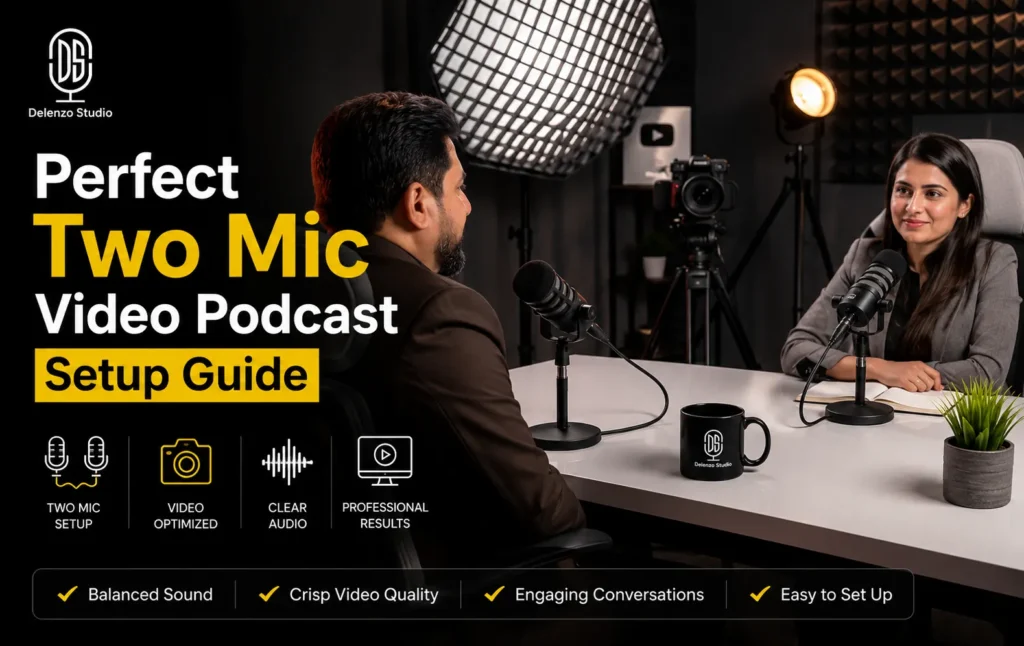
Two microphones can make a podcast sound professional or completely ruin it. Crosstalk, hollow voices, and phase problems usually come from one mistake: poor microphone placement. Getting the microphone placement rules right is the single biggest factor separating a clean podcast from one with muddy, hollow, distant-sounding audio.
This blog post breaks down the exact rules professional audio engineers use for mic placement for podcast setups with two speakers. You will learn why certain distances and angles matter, how to spot the problems before you record, and what to do when your room is working against you.
The 3:1 Rule: The Core Rule for Any Multi-Mic Setup
The 3:1 rule microphone placement guideline is the foundation of any recording with more than one microphone. It exists to stop mics from picking up each other’s sound in a way that damages audio quality.
What the 3:1 Rule Actually Means
The 3:1 rule means mic-to-mic distance should be at least three times the mic-to-mouth distance. If a speaker sits 6 inches from their mic, mics need 18 inches of separation. This limits how much sound bleeds between speakers, reducing microphone crosstalk and keeping tracks cleaner during editing. Following these microphone placement principles is essential for serious podcast production, since skipping this ratio creates problems that are often impossible to fix afterward.
A Worked Example for a Typical Podcast Table
Picture a standard podcast table with two hosts sitting across from each other. Each mic sits 8 inches from the host’s mouth on a boom arm.
Using the 3:1 rule podcast table example, the mics need at least 24 inches of separation. On most podcast tables, that means positioning mics diagonally rather than directly facing each other.
Here is a simple reference table for common setups:
| Mic-to-Mouth Distance | Minimum Mic-to-Mic Distance | Typical Table Size Needed |
| 4 inches | 12 inches | Small desk setup |
| 6 inches | 18 inches | Standard two-person table |
| 8 inches | 24 inches | Wide podcast table |
| 10 inches | 30 inches | Studio-grade table |
Use this table as a quick check before you hit record. If your table is smaller than the minimum distance, adjust mic-to-mouth distance instead. Try moving speakers slightly closer to their mic, or stagger mic height slightly. Even a small height difference reduces overlap between the two pickup patterns effectively.
Why Ignoring the 3:1 Rule Causes Comb Filtering
When two mics pick up the same sound at slightly different times, the sound waves overlap. Some frequencies cancel out while others get boosted unevenly. This is called comb filtering.
The result is a thin, hollow, almost robotic quality in the voice. It is one of the most common causes of microphone phase cancellation podcast issues, and it often goes unnoticed until playback.
Comb filtering happens most often when:
- Mics are placed too close together relative to speaker distance
- Both speakers talk over each other frequently
- Mics are pointed toward each other instead of away
- The room has hard surfaces bouncing sound back into both mics
Correct microphone placement rules prevent most comb filtering before it starts. Fixing it after recording is far harder than preventing it during setup.
Mic Angle: Why Facing Mics Away From Each Other Matters
Mic angle for two person podcast setups matters because cardioid mics reject sound from behind while picking up strongly from the front. Facing mics away from each other uses this rejection pattern to cut bleed, without needing extra distance.
Angle each mic outward, roughly 15 to 30 degrees from center, while keeping it aimed at each speaker’s mouth. Avoid pointing mics directly at each other, since that captures maximum bleed and works against the 3:1 rule.
For example, in a typical two-person podcast recording at Delenzo Studio, microphones are positioned close to each speaker, angled away from each other, and tested with a short recording before the session begins to ensure clean audio separation.
Boom arms make this adjustment easy. With fixed stands, a small base rotation works too. Run a quick listening test after adjusting the angle.
Mic Distance: Keeping Every Speaker in the Optimal Zone
Distance affects more than just crosstalk. It changes tone, volume consistency, and how much room sound gets captured alongside the voice.
Most dynamic podcast mics perform best between 2 and 6 inches from the mouth. Condenser mics often work well slightly farther, between 6 and 10 inches, depending on sensitivity.
Staying too far from the mic causes several problems:
- Thinner, weaker vocal tone
- More background noise and room reflections picked up
- Inconsistent volume as speakers naturally shift position
- Greater risk of comb filtering with a second mic nearby
Staying too close causes different problems, including plosives from hard consonants and an unnaturally boomy low end. Finding the correct distance is part of applying microphone placement rules consistently across a session.
Positioning Mics Away From Noise Sources and Reflective Surfaces
Placement is not only about the relationship between two mics. It is also about the mic’s relationship with the room.
Keep mics away from common noise sources:
- Air conditioning vents and fans
- Laptop and computer fan noise
- Hard tabletops that reflect sound upward
- Windows and doors facing busy streets
- Overhead lighting with audible hum
Mic placement untreated room conditions make these decisions more important, since reflections add unwanted room tone without treatment. A foam pad under each stand cuts tabletop reflections. Clap near each mic; a tight sound means the space behaves well, a ringing decay signals a problem worth fixing.
What to Do When Physical Placement Isn’t Enough
Sometimes even perfect placement cannot fully solve a difficult room. Concrete rooms, glass-heavy offices, and small apartments often carry too much reflection for placement alone to fix. Practical options include:
- Rugs, curtains, and cushions to absorb reflections
- Portable reflection filters behind each mic
- Recording in the quietest available room
- Light acoustic panels behind each speaker
For consistent, broadcast-quality sound without troubleshooting a home setup, record in a professionally treated space. It removes these variables entirely, with reflections, noise, and mic geometry already handled.
Common Mic Placement Mistakes in Two-Mic Setups
Most audio problems in two-mic podcast setup recordings trace back to a handful of repeated mistakes. Reviewing them before your next session can save hours of editing later.
- Placing mics too close together for the speaker distance being used
- Pointing mics directly at each other instead of angling them outward
- Ignoring room noise sources like fans, vents, and hard flooring
- Using mismatched mic models with different sensitivity levels
- Skipping a test recording before the actual session begins
- Forgetting to check headphone monitoring for bleed and phase issues
Running a short test clip and listening back with headphones catches most of these issues immediately. It is the fastest way to confirm your microphone placement rules setup is actually working before a full recording session begins.
Conclusion: Getting Two-Mic Placement Right
Clean two-person podcast audio comes down to a few repeatable habits. Apply the 3:1 rule, angle mics away from each other, and keep both speakers in the optimal distance zone. Address room noise and reflective surfaces, even in an untreated space, whether recording on a budget table or a dedicated two mic setup Lahore studio.
If you want professional podcast audio without dealing with room reflections, mic placement, and technical setup issues, Delenzo Studio provides a fully treated recording environment with professional microphones and optimized podcast setups in Lahore. For more on setting up with multiple guests, see Delenzo Studio’s multi-guest podcast setup in Lahore.
Ready to Create Professional Content?
Record your podcast, produce engaging videos, or capture stunning visuals at Delenzo Studio. Book your studio session today.
Book Your Studio SessionFAQs
The 3:1 rule means the distance between two mics should be at least three times the mic-to-mouth distance for each speaker. This reduces bleed and phase cancellation between mics.
Mics should sit at least three times the mic-to-mouth distance apart. For mics 6 inches from each speaker, keep at least 18 inches between the two microphones themselves.
Why does my two-mic podcast recording sound hollow or thin?
Hollow or thin sound usually means comb filtering. Both mics are capturing the same voice at slightly different times, causing certain frequencies to cancel each other out.
Mics should face away from each other. Cardioid mics reject sound from behind, so angling them outward reduces bleed and crosstalk between speakers significantly
Move each speaker closer to their own mic instead of making the table bigger. Placing mics at slightly different heights also helps cut down overlap.