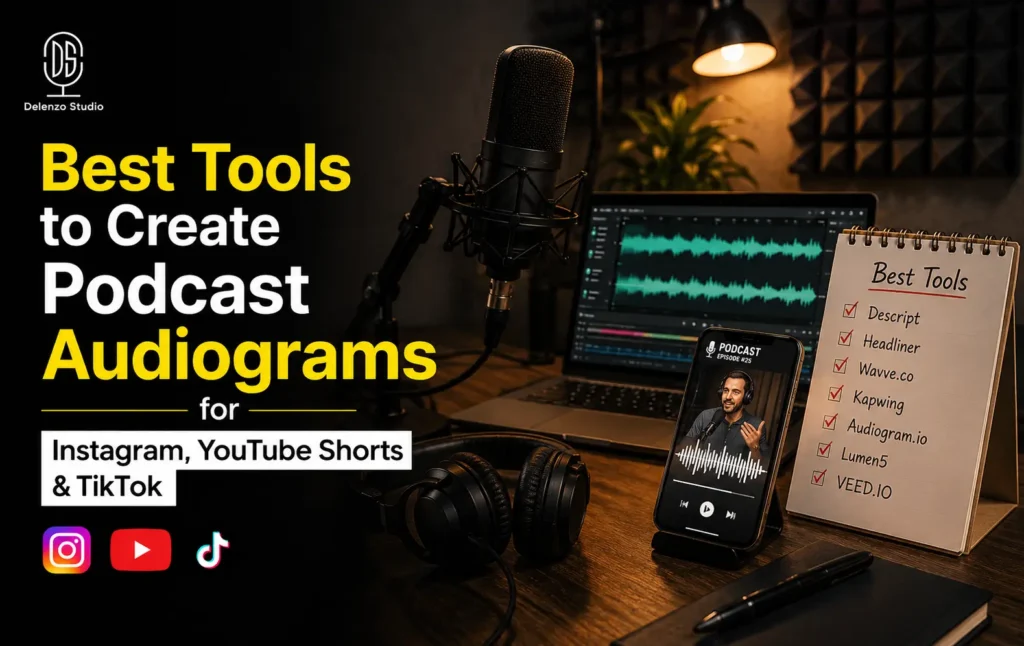
An audiogram is a short video that pairs a waveform animation and captions with an audio clip. The right podcast audiogram maker depends on your budget, how many clips you need per episode, and where you plan to post. Instagram feed, Reels, TikTok, and YouTube Shorts each favor a different aspect ratio, so the export settings matter as much as the tool itself
This article compares specific best podcast audiogram tools rather than repeating the general how-to process. It covers export specs for each platform, common mistakes creators make, and where audio quality actually comes from. If you want the full step-by-step editing workflow first, read our guide on creating eye-catching audiograms.
What Is a Podcast Audiogram and Why It Matters for Social Media
A podcast audiogram turns a static audio file into a shareable video by pairing a waveform animation with burned-in captions. It matters for social media because muted scrollers can watch and read along, while a plain audio file usually gets scrolled past unheard.
Most people scroll with sound off, so captions let them follow without touching the volume button. A moving waveform signals fresh content and helps a clip stand out among video, memes, and photos in the same feed. Without a visual hook, a plain audio file behaves like a link people have to tap, not native content they can watch.
Audiograms give a podcast several practical advantages:
- Captions let viewers follow along with the sound muted.
- A moving waveform signals audio content at a glance.
- Short clips pull curious listeners toward the full episode.
- One recording gets repurposed across several platforms at once.
One episode can produce five or six audiogram clips without any extra recording. Pull the strongest quotes, the funniest exchanges, and the most useful advice into separate short clips. Spread these across the week instead of posting them all on release day.
Audiogram tools for podcasters now range from simple free editors to full production suites. The best tools to create podcast audiograms are the ones that match your actual posting habits, not the ones with the longest feature list. A creator posting one clip a month has very different needs than a team publishing daily across three platforms.
Aspect Ratios and Export Specs for Each Platform
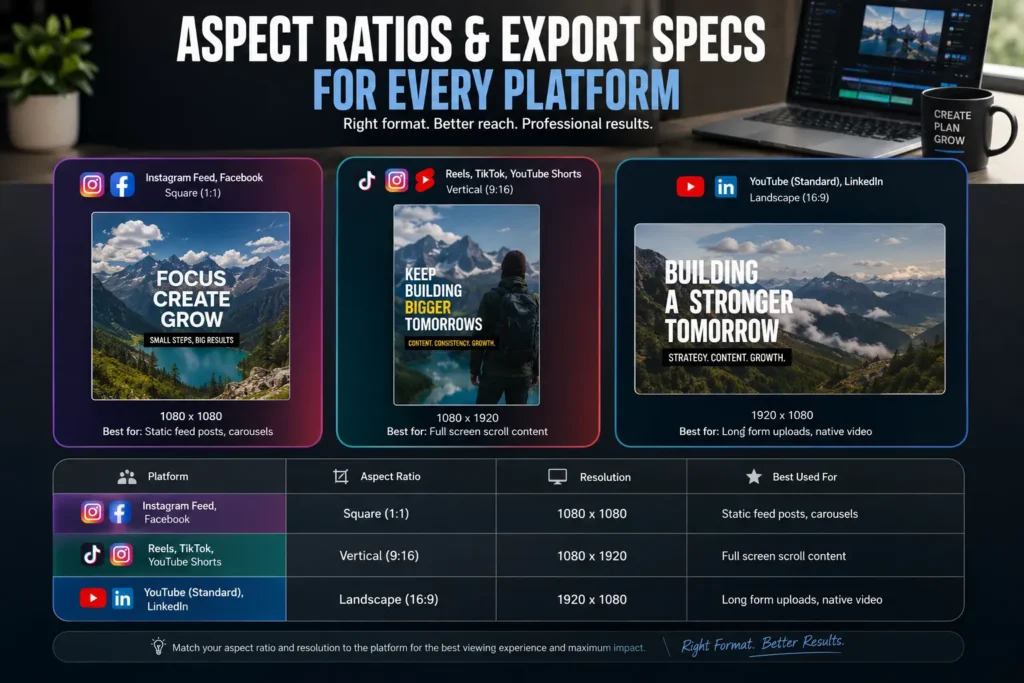
Audiogram aspect ratio for social media is not a style choice. It is a technical requirement set by each app. Square fits a feed post, vertical fills a phone screen, and landscape suits standalone uploads.
Getting this wrong causes real problems. A vertical clip forced into a square frame crops out faces and text. A square clip uploaded to Reels shows thick black bars on both sides. Matching the export to the platform avoids both issues before you ever hit publish.
| Platform | Aspect Ratio | Resolution | Best Used For |
| Instagram Feed, Facebook | Square (1:1) | 1080 x 1080 | Static feed posts, carousels |
| Reels, TikTok, YouTube Shorts | Vertical (9:16) | 1080 x 1920 | Full screen scroll content |
| YouTube (standard), LinkedIn | Landscape (16:9) | 1920 x 1080 | Long form uploads, native video |
Instagram Feed and Facebook: Square (1080×1080)
Square format stays the safest all-rounder for feed posts. Instagram and Facebook display 1080×1080 cleanly, without odd cropping. It also slots neatly into a carousel next to a quote graphic or episode cover. Square leaves more frame space for captions, which suits quote-style clips where a guest line matters more than motion. Many creators use square as a default fallback whenever a clip is not built for Reels or Shorts.
Instagram Reels, TikTok and YouTube Shorts: Vertical (1080×1920)
Full screen vertical video is required for Reels, TikTok, and Shorts, all of which default to 9:16. One export covers a podcast audiogram for Instagram Reels, a podcast audiogram for TikTok, and a podcast audiogram for YouTube Shorts alike. YouTube’s own guidance confirms Shorts are built around vertical video. Keep captions and faces centered, since app icons cover the edges. Most best podcast audiogram tools export vertically by default which saves a resizing step for creators posting to all three apps.
YouTube (Standard) and LinkedIn: Landscape (1920×1080)
Landscape still earns its place for full YouTube uploads and native LinkedIn video. Long form audiograms, panel highlights, and sponsor mentions read better in widescreen. LinkedIn’s feed also favors landscape for native uploads, since most viewers browse on desktop. This format suits clips meant to sit on a channel page permanently, like episode trailers or full interview cuts, rather than disappear into a feed.
Why Audiogram Quality Depends on Your Source Recording
No editing tool fixes a noisy recording. Podcast audio quality for social clips is set at the recording stage, long before any waveform or caption gets added.
Common source audio problems that carry straight into an audiogram:
- Background hiss or room echo
- Uneven mic levels between speakers
- Overlapping voices that confuse auto-captions
Any of these become obvious the moment captions sit under a waveform, and auto-captioning accuracy drops fast once they show up. This applies whether the clip is headed to Instagram, a YouTube Short, or a quick WhatsApp status podcast clip.
Tip: Listen to the raw clip with headphones before choosing it, rather than judging it from the waveform alone.
Studios built for podcast recording solve this problem before editing starts. Delenzo Studio’s Podcast Studio in Gulberg, Lahore records inside a fully soundproof room using a RØDE NT1 microphone, an Audio-Technica AT2020, and a RØDE Caster Pro II mixer. That combination gives creators clean, balanced audio to work with, so every audiogram clip sounds as sharp as the original episode.
Common Mistakes When Creating Podcast Audiograms
Most audiogram mistakes trace back to rushing the export or skipping the source audio check. These errors are easy to miss during a busy posting week, but each one quietly lowers watch time. Watch for these before you post.
- Picking a free podcast audiogram maker on price alone, then losing quality to watermarks or export caps.
- Exporting one aspect ratio and reusing it everywhere without resizing.
- Skipping captions, leaving silent scrollers with no way to follow along.
- Choosing a clip with weak audio and expecting visuals to cover for it.
- Ignoring safe zones, so captions get hidden behind app icons and buttons.
- Posting the full episode length instead of trimming to one strong moment.
A free vs paid audiogram maker comparison usually comes down to posting volume and branding needs. Free plans work fine for occasional clips, but most add a watermark and cap export length. Paid tiers remove the watermark, unlock batch exporting, and support custom brand colors and fonts. Creators posting several clips per episode tend to outgrow free plans quickly.
| Factor | Free Plans | Paid Plans |
| Watermark | Usually included | Removed |
| Export length | Often capped | Extended or unlimited |
| Batch exporting | Rarely available | Standard feature |
| Brand customization | Limited templates | Custom colors and fonts |
| Best fit | Occasional posting | Weekly or multi-clip workflows |
For teams researching audiogram tools Pakistan creators can rely on, most global tools work fine locally, since they run entirely in the browser. Tools like Headliner, Wavve, Descript, and CapCut all offer vertical export presets suited to Reels, TikTok, and Shorts. The best podcast audiogram tools for regular, high-volume posting are usually the paid tiers, since batch export saves real editing time across a full season.
Conclusion: Choosing the Right Audiogram Tool for Your Podcast
Tool choice should match your posting volume and budget. Occasional posters can start with a free plan. Weekly or multi-clip creators get more value from a paid tier with batch export and no watermark.
But no tool, free or paid, fixes poor source audio. That has to be solved at the recording stage, with a clean room, a decent microphone, and a properly set mixer. Once the recording is solid, any of the best podcast audiogram tools can turn it into content worth sharing.
Studios like Delenzo Studio Podcast Studio handle that first step, so your audiograms start with audio that is already worth clipping.
Ready to Record Your Next Podcast?
Bring your ideas to life in our fully equipped podcast studio with professional cameras, premium microphones, expert technical support, and a soundproof recording environment.
Book Your Podcast SessionFrequently Asked Questions
The best free podcast audiogram maker pairs built-in captions with vertical export, like Headliner or Wave on a free tier. These plans suit occasional posting, though they add a watermark and cap length.
Use 1080×1920 vertical (9:16) for Instagram Reels, TikTok, and YouTube Shorts alike. This audiogram aspect ratio for social media fills the phone screen fully, since all three apps default to the same vertical player.
No, expensive software is not required. Many audiogram tools for podcasters offer free or low-cost plans with captions, waveform templates, and vertical export, which cover most casual to mid-volume posting needs well.
An audiogram pairs a static or animated image with audio, built to promote episodes on social media. A podcast clip is a short video, usually 30 to 60 seconds, cut from a longer episode.
Audio quality comes from the recording, not the editing software. Background noise, echo, or uneven mic levels carry straight into the clip, since no audiogram tool can fully repair a poor original recording.