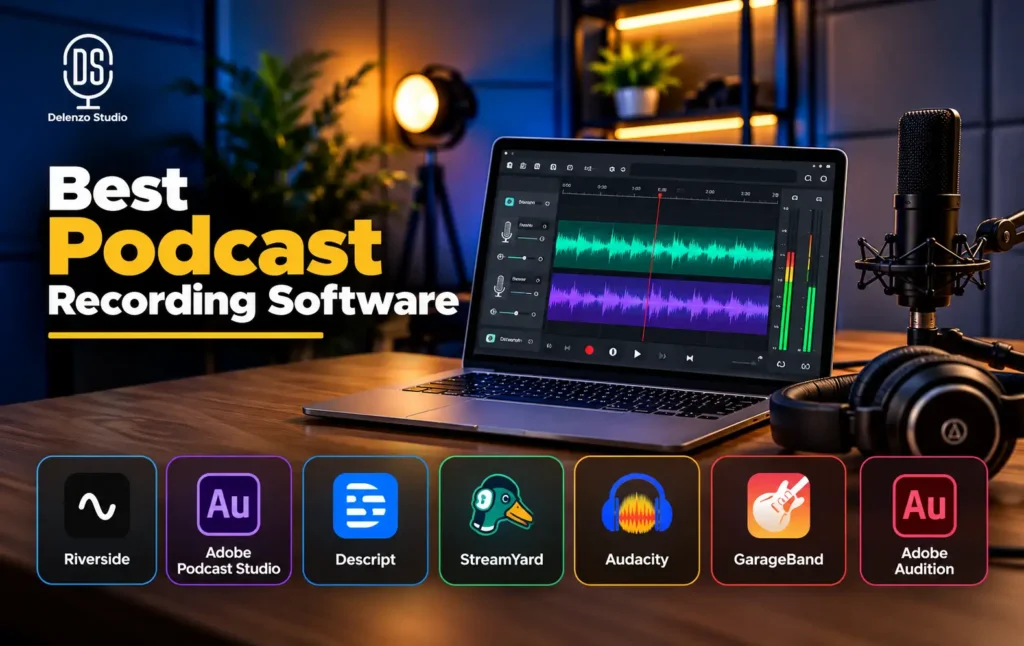
The right podcast recording software depends on how you record. Solo and in-person shows do well with free local tools like Audacity or GarageBand. Remote interviews need a platform that records each guest separately, such as Riverside or Adobe Podcast Studio. Video-first creators get more from Descript or StreamYard. Editing-heavy shows benefit most from Adobe Audition.
There is no single winner here. A tool that is perfect for a live YouTube talk show can feel bloated for a solo audio show. This guide matches each app to a real workflow, so you can pick the one that fits and skip the rest.
Quick Answer: Which Podcast Recording Software Should You Use?
Start with your format, not the feature list. Find the row that matches how you record, then read the full review for that tool below.
| Use Case | Recommended Starting Point | Why |
|---|---|---|
| Solo audio / free | Audacity or GarageBand | Local recording and editing with no subscription. GarageBand is Apple only. |
| Remote guest interview | Riverside or Adobe Podcast Studio | Separate tracks for each person and simple browser links for guests. |
| Record + edit in one workflow | Descript | Edit audio and video through the transcript, with remote recording built in. |
| Live video + podcast | StreamYard | Strong live production, guest links and local recording. |
| Advanced audio post-production | Adobe Audition | Deep multitrack editing, cleanup and mastering. |
| Don’t want to manage tech | Professional podcast studio | Room, mics, cameras and technical support handled for you. |
How to Choose Podcast Recording Software
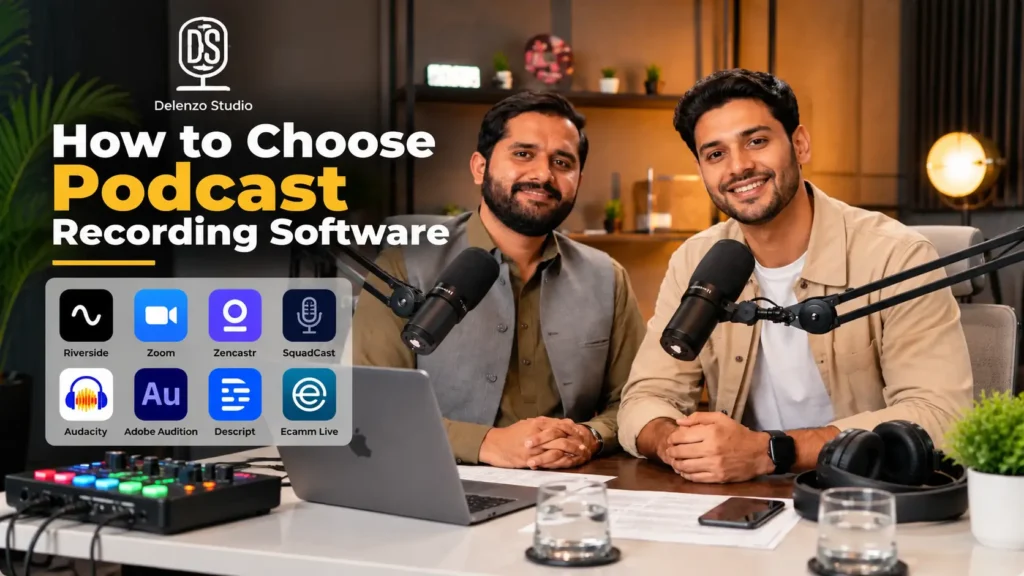
Most people pick podcast software by reading a top-ten list and grabbing the first name. That often ends with a paid plan they barely use. A better approach is to check these eight factors against your own show.
Local Recording
For remote shows, this factor matters most. The difference comes down to local recording vs cloud call recording.
A cloud call tool, like a basic Zoom recording, captures audio after it travels through the internet. Any lag, dropout or robotic voice gets baked into the file forever.
Local recording works differently. Each person’s audio and video is saved on their own device first, then uploaded in the background. If someone’s Wi-Fi drops for two seconds, the live call might stutter. The recording itself stays clean.
Separate Tracks
Ideally, every person should land on their own file. Separate participant tracks let you fix one guest’s volume without touching yours. You can also cut a cough, remove crosstalk or clean noise from one side only. With a single mixed file, those fixes become guesswork.
Our multi-guest podcast setup guide shows how this plays out in a real session.
Audio vs Video
Choosing an audio-only vs video podcast workflow changes almost everything. Video needs camera support, far more storage, audio and video sync, plus layout tools for split screens. An audio-only show can run happily on a simple recorder. Don’t pay for video features you will never publish.
Planning a video show? It also helps to decide early on the best platform for video podcasts, since that shapes your export settings.
Guest Onboarding
Your guests are not audio engineers. Good software for remote podcast guests lets them join from a browser link without installing anything. Fewer steps mean fewer late starts and fewer “I can’t hear you” moments in the first ten minutes.
Editing Depth
A recorder and an editor are two different things. Some apps simply capture clean audio. Others are full DAWs (digital audio workstations) with multitrack editing, EQ, compression and noise repair. Know which one you need before comparing tools side by side. For a wider look at editors, see our roundup of the best audio editing software.
Operating System and Device Support
Confirm the official requirements for Windows, macOS, browsers and mobile on the day you sign up. Some browser studios only support desktop Chrome for certain features. When a guest plans to join from a phone, look for proper podcast recording software for Android/iPhone, not just a mobile web page.
Budget and Free-Plan Limits
Free plans almost always cap something. Common limits include recording hours, export quality, guest count and watermarks. Prices also shift often, so check the official pricing page right before you commit.
Export and Handoff
Planning to hire a professional editor? Make sure the app exports WAV files and separate tracks. MP3-only exports or a single mixed file will limit what any editor can fix later.
Not sure which format to pick? This breakdown of which audio file format to use for your podcast covers WAV, MP3 and more. Clean exports also make handoff to professional podcast editing services faster and cheaper.
Score each tool on these eight points. The best podcast recording software for your show will usually stand out fast.
Best Podcast Recording Software Compared
The table below shows how the seven tools stack up. Each label reflects the workflow a tool suits best, not a vague claim about who has the best sound.
| Tool | Best For | Standout Feature | Main Limitation |
|---|---|---|---|
| Riverside | Remote video interviews | Separate track for each guest | Plans and limits change often |
| Adobe Podcast Studio | Beginners | Enhance Speech cleanup | Remote recording needs Chrome desktop |
| Descript | Recording + editing | Edit by deleting text | AI limits depend on plan |
| StreamYard | Live video shows | Stream and record at once | Too much for audio-only shows |
| Audacity | Free solo audio | Free on Windows, Mac, Linux | No remote guest option |
| GarageBand | Apple beginners | Simple and free on Mac/iPhone | Apple devices only |
| Adobe Audition | Advanced editing | Pro-level audio cleanup | Paid and harder to learn |
Riverside: Best for Remote Video Interviews
Riverside is the tool most remote interview shows reach for first. It records each participant locally, then uploads those files while the session runs. That design makes it a top contender for the best remote podcast recording software.
Every guest lands on their own audio and video track. Editing one person never affects the rest. Riverside can record up to 4K video with uncompressed audio, which suits creators publishing full episodes on YouTube.
Guests join from a browser link, and mobile apps exist for iPhone and Android. Riverside also bundles a text-based editor and an AI clip tool for turning episodes into social posts.
Keep these points in mind:
- Plan limits, recording hours and feature tiers change regularly. Confirm them on the official pricing page.
- Uploads keep running after the call ends, so guests should leave the tab open until they finish.
- For a solo audio show recorded at home, Riverside can be more than you need.
Adobe Podcast Studio: Best Browser-Based Beginner Option
Adobe Podcast Studio feels built for people who have never opened an audio editor. It runs in the browser and supports remote multi-track recording for audio and video. After recording, you edit by deleting words from the transcript, much like editing a document.
Enhance Speech is the standout feature. This AI tool cleans up voice recordings and can make a laptop mic sound much closer to a studio mic. A Mic Check tool also flags setup issues before you hit record.
A couple of details matter:
- Adobe’s technical requirements state that Studio is only supported on Google Chrome (desktop). Check current browser support before inviting guests.
- Enhance Speech helps, but it cannot replace good mic technique or a quiet room. Pushed too hard, voices start sounding artificial.
For many first-time hosts, this lands near the top of any list of the best podcast recording software for beginners. Think of it as an easy entry point, not a shortcut around good recording habits.
Descript: Best for Recording and Text-Based Editing
Descript treats your episode like a text file. It transcribes the recording, and you edit audio and video by editing the words. Delete a sentence in the transcript, and it vanishes from the recording too.
Other useful features include:
- Filler-word removal that finds “um,” “uh” and repeated words in one click
- Studio Sound, which reduces echo and background noise
- Rooms, a remote recording space for guests
- Clip tools for turning long episodes into short videos
Now the honest part. Descript’s AI saves real editing time, but it does not change how well the raw audio was captured. A clean recording will still beat a noisy one run through Studio Sound. Treat the AI as a convenience, not a rescue tool. If noise is already in your files, our guide to removing background noise from a video podcast walks through manual fixes.
Descript works best for creators who want one workspace from recording to final clips. As podcast editing software, it is far easier to learn than a traditional DAW. Subscription tiers include AI usage limits, so read the plan details before upgrading.
StreamYard: Best for Live and Remote Video Podcasts
StreamYard started as a live streaming studio, and that is still where it shines. You can broadcast to YouTube, LinkedIn and Facebook at once. Layouts switch mid-show, and your branding stays on screen. Guests join through a simple browser link.
On its paid plans, StreamYard also offers local recordings. These capture each person’s audio and video on their own device, giving editors cleaner files than the live stream alone.
For creators who run live conversations or webinar-style shows, StreamYard is a strong pick for the best video podcast recording software. Audio-only hosts, though, will pay for live production tools they never touch. Thinking about going live? Our guide to live streaming in Pakistan covers internet, gear and platform basics.
Audacity: Best Free Podcast Recording Software for PC, Mac & Linux
Audacity has been the go-to free audio editor for over 20 years. It is open-source, runs on Windows, macOS and Linux, and costs nothing. No trial, no watermark, no subscription.
You can record from a USB mic or audio interface, edit in multitrack, cut mistakes, reduce noise and export to WAV or MP3. Still choosing a mic? Our XLR vs USB microphone comparison helps you decide.
For solo shows or in-person recordings in one room, Audacity is easily the best free podcast recording software around. Searches for podcast editing software free of monthly fees tend to end here too. To get started fast, follow our step-by-step Audacity podcast tutorial.
People often search for what is better than Audacity. The answer depends on the gap you need to fill. Another tool only wins for a specific need:
- Remote guests: Riverside or Adobe Podcast Studio
- Faster AI editing: Descript
- Video recording: Riverside or StreamYard
- Easier guest onboarding: any browser-based studio
If none of those apply, Audacity may be all you need. The trade-off is a manual, older-feeling workflow with a steeper learning curve.
GarageBand: Best Free Option for Apple Users
GarageBand comes free on Mac, iPhone and iPad. For Apple users starting an audio-only show, it is an easy choice for the best podcast recording software for Mac. The layout is friendly, most USB mics work out of the box, and voice presets give you decent sound quickly.
On iPhone, it also works as a handy podcast recording app for capturing voice notes or quick segments on the move.
The limits are clear:
- It only runs on Apple devices, so Windows and Android users need something else.
- No remote guest studio is built in.
- Its podcast tools are basic next to a dedicated audio editor.
Mac users are not stuck with GarageBand either. Audacity, Audition and every browser studio in this list work on macOS as well.
Adobe Audition: Best for Advanced Podcast Audio Editing
Adobe Audition is a professional DAW made for detailed audio work. It handles multitrack recording, spectral editing, noise repair, loudness matching and mastering. Shows that need polished sound are where it earns its price.
Audition runs on Windows and macOS through an Adobe Creative Cloud subscription. Alongside Audacity, it ranks among the stronger choices for the best podcast recording software for Windows/PC users who care about editing depth.
That said, Audition is neither a beginner recorder nor a remote guest platform. Many creators record in Riverside or a studio, then finish episodes in Audition. For the full step-by-step process, read our Adobe Audition podcast editing guide.
Best Podcast Recording Software by Use Case
| Need | Best Starting Options | What to Prioritize |
|---|---|---|
| Beginner | Adobe Podcast Studio, Riverside, GarageBand | Simple setup and low guest friction |
| Free | Audacity, GarageBand, free tiers of browser tools | Fully free vs free plan with limits |
| Remote guests | Riverside, Adobe Podcast Studio, Descript, StreamYard | Local capture and separate tracks |
| Video podcast | Riverside, Descript, StreamYard, Adobe Podcast Studio | Video quality, layouts, clips and export |
| Mac | GarageBand plus cross-platform tools | GarageBand is one option, not the only one |
| Windows/PC | Audacity, Adobe Audition plus browser tools | Editing depth matched to budget |
| In-person multi-mic | DAW or recorder + audio interface/mixer | Mic inputs, headphone monitoring, room acoustics |
Two rows need a closer look. In the “Free” row, Audacity and GarageBand are truly free. Browser tools usually offer free plans with caps on hours, quality or exports.
The in-person row matters too. Deciding between in-person multi-mic vs remote software is really a hardware question. Remote tools record each guest on their own device. In-person shows need every mic plugged into one audio interface or mixer, with headphones for each person. No app handles that part alone. Our audio interface vs mixer guide explains which one suits your setup.
What Software Cannot Fix: Room Acoustics, Mic Technique & Hardware
Noise reduction and AI speech tools are genuinely useful. Some problems, however, cannot be undone after recording:
- Room echo: hard, bare walls bounce sound into the mic. Software reduces it, but heavy reverb rarely disappears.
- Clipping: audio recorded too loud distorts, and that damage is permanent.
- Mic distance: sitting too far back pulls in room sound and makes voices thin.
- Poor gain staging: levels set too low add hiss once you boost them later.
In our studio sessions, the most common sound problem with first-time guests is simple. They sit too far from the mic. Moving a few inches closer fixes more than any plugin can. Our guide on how to connect a podcast mic to a laptop, PC or audio interface covers setup and gain in detail.
Echo already hurting your episodes? This guide on how to fix echo and reverb in a podcast covers the causes and fixes. For gear decisions, see our breakdown of podcast equipment and setup.
This is where software vs professional studio becomes a real decision. Software polishes a recording. A treated room, quality mics and a trained engineer make the recording worth polishing in the first place.
Record Your Podcast at Delenzo Studio
Software is only one part of a clean podcast workflow. If you want to record in a soundproof room with professional microphones, cameras, lighting and technical support, explore Delenzo Studio’s professional podcast studio in Lahore and choose the setup that matches your solo, interview or video podcast.
Our team handles mic, camera and lighting setup before you arrive, so you can focus on the conversation. The studio is located in High Q Tower, Gulberg V, Lahore.
Still planning your show? Read our guide on how to start a podcast in Pakistan.
Final Recommendation: Choose by Workflow, Not by the Longest Feature List
The short version looks like this:
- Free local audio: Audacity or GarageBand
- Remote or video shows: Riverside, Adobe Podcast Studio, Descript or StreamYard
- Advanced audio editing: Adobe Audition
- Zero-tech in-person production: a professional podcast studio
Before paying for any plan, run one short test. Record five minutes using your actual mic, a real guest setup and your full export process. That single test tells you more about the best podcast recording software for your show than any review, this one included.
Frequently Asked Questions
Adobe Podcast Studio is the easiest starting point for beginners. It runs in your browser, records remote guests, and lets you edit by deleting words from the transcript.
Audacity is the best free option for most podcasters, with no fees on Windows, Mac or Linux. Apple users can also try GarageBand, free on Mac and iPhone.
Riverside beats Audacity for remote guests, Descript is faster for AI editing, and Adobe Audition offers deeper cleanup. For solo local audio, Audacity is still a strong free choice.
Riverside is the top pick for remote interviews and video. It records each guest locally on separate tracks. StreamYard suits live shows, while Descript combines recording with easy editing.
No. At a professional studio like Delenzo Studio, the team handles mic, camera and lighting setup. You only need software if you plan to edit episodes yourself.