A podcast is an on-demand series of audio or video episodes that you can stream or download anytime. That simple idea is what separates it from radio. A radio show airs at a set hour, and you either catch it or miss it. With a podcast, you choose the episode and the timing, from a Canal Road traffic jam to a late-night walk. People now listen this way on Spotify, Apple Podcasts, YouTube and dozens of other apps.
This guide shows how episodes reach your phone and which formats work. You will also learn what beginners need, what it costs and how to start a podcast in Pakistan.
What Is a Podcast?
People asking what is a podcast usually want to know what sets it apart from other online audio. Wikipedia calls it a digital media program that people can stream or download on demand. In practice, three traits separate a podcast from a one-off recording:
- It is a series. Episodes keep coming, usually on a regular schedule.
- People can follow it. New episodes reach followers automatically through their apps.
- It has a clear thread. Each show is built around a topic, a host, a format or a promise, like “one founder interview every Monday.”
The podcast meaning has also stretched over the years. Early shows were audio files only. Today, many creators publish video versions too, especially on YouTube and Spotify. Some shows stay audio-only by choice, while others film everything. Both count as podcasts, and the right pick depends on your audience and your production setup.
Podcast vs Radio vs YouTube Video
A quick comparison helps the idea click:
| Podcast | Radio show | Regular YouTube video | |
|---|---|---|---|
| When you listen | Anytime, on demand | At a fixed broadcast time | Anytime, on demand |
| How it reaches you | RSS feed to many apps, or YouTube | Broadcast signal or live stream | One platform only |
| Following | New episodes arrive automatically | No episodes to follow | Subscribe, but no feed to other apps |
| Structure | A recurring series with a clear theme | A live schedule | Often one-off videos |
How Does a Podcast Work?
Knowing what is a podcast is only half the picture. The other half is the delivery system behind it. If you have ever searched how a podcast works, the answer fits into five steps.
Record and edit → Upload to a podcast host → Host updates the RSS feed → Apps read the feed → Listeners play the episode
Two terms cause most of the confusion, so let us pin them down first.
- Podcast host: A service that stores your episode files and show details. Examples include Buzzsprout, RSS.com, Podbean, Libsyn and Spotify for Creators.
- RSS feed: A web address your host creates. It holds an always-updated list of your show and its episodes.
The podcast host vs podcast app mix-up is very common. Spotify and Apple Podcasts are where people listen. Your host is where your files actually live. You normally upload to one host, and the feed carries your show everywhere else.
Spotify for Creators is a slight exception, since it is a free host run by Spotify itself. Even so, its feed can still send your show to Apple Podcasts and other apps.
1. The Creator Records and Edits an Episode
Every podcast workflow starts before anyone presses record. A good creator plans the episode first: the main point, a rough outline and any guest questions. Ten minutes of planning can save an hour of editing.
Recording comes next. For an audio show, that means microphones, headphones and recording software or a portable recorder. A video show adds cameras, lights and a way to keep picture and sound in sync. Our breakdown of podcast equipment and recording setup covers gear choices in detail, and our pick of the best mic for a podcast in Pakistan helps with your first microphone.
Editing is where the episode gets cleaned up. Typical edits include:
- Cutting long pauses, mistakes and off-topic tangents
- Balancing volume between the host and guests
- Reducing background noise like fans or traffic
- Adding an intro, outro and any sponsor messages
A finished audio episode is usually exported as an MP3. Video episodes are often exported as MP4 files.
2. The Episode Is Uploaded to a Podcast Host
Once the file is ready, it goes to your podcast host. The host stores the episode along with its metadata. That includes the title, description, cover art, category, episode number and publish date.
A hosting platform is not the same as a listening app. Think of the host as your warehouse and the apps as shops. Shops display your product, but the stock sits in the warehouse.
Many paid starter plans cost somewhere around $10 to $20 a month, so check current pricing before you commit. Creators in Pakistan usually need an international debit or credit card for these plans. If that is a hurdle, Spotify for Creators is free to use.
3. The Host Updates the RSS Feed
Here is the podcast RSS feed explained in plain words. Your feed is a structured page that lists everything an app needs to show your podcast. It includes your show name, artwork and description. Every episode appears there too, with its title, date and a link to the file.
You do not need to write or edit any code. Each time you publish an episode, your host refreshes the feed for you. You only submit the feed link to each app once, usually during your first upload.
4. Podcast Apps Read the Feed
Podcast apps and directories check your feed regularly. When they spot a new episode, they add it to your show page and alert followers. Major places to list your show include Apple Podcasts, Spotify, Amazon Music, Pocket Casts and Overcast. YouTube also supports podcasts, though many creators upload full video episodes there directly.
People who ask how do podcasts work are often surprised by one detail. No single company controls the whole chain. Your host and your listeners’ apps can be completely different companies, and the feed connects them.
Our guide on how to publish your podcast after recording walks through every submission step, so we will not repeat that checklist here.
5. Listeners Stream, Download or Follow the Show
Listeners can press play and stream an episode instantly over mobile data or Wi-Fi. They can also download episodes for offline listening, which helps on flights or in weak signal areas. Following (or subscribing to) a show means new episodes show up automatically.
Apps do not all behave the same way, though. Some play video episodes and some only play audio. Auto-download settings, storage limits and playback speed options vary from app to app.
Key Podcast Terms for Beginners
Keep this short glossary handy while you plan your show:
| Term | What it means |
|---|---|
| Episode | One installment of your show, audio or video |
| Season | A planned batch of episodes, often around one theme |
| Podcast host | The service that stores your files and creates your feed |
| RSS feed | The auto-updated link apps read to list your episodes |
| Directory | An app or platform where listeners find shows, like Apple Podcasts or Spotify |
| Show notes | The written description, links and timestamps for each episode |
| Cover art | The square image that represents your show in every app |
Audio Podcast vs Video Podcast
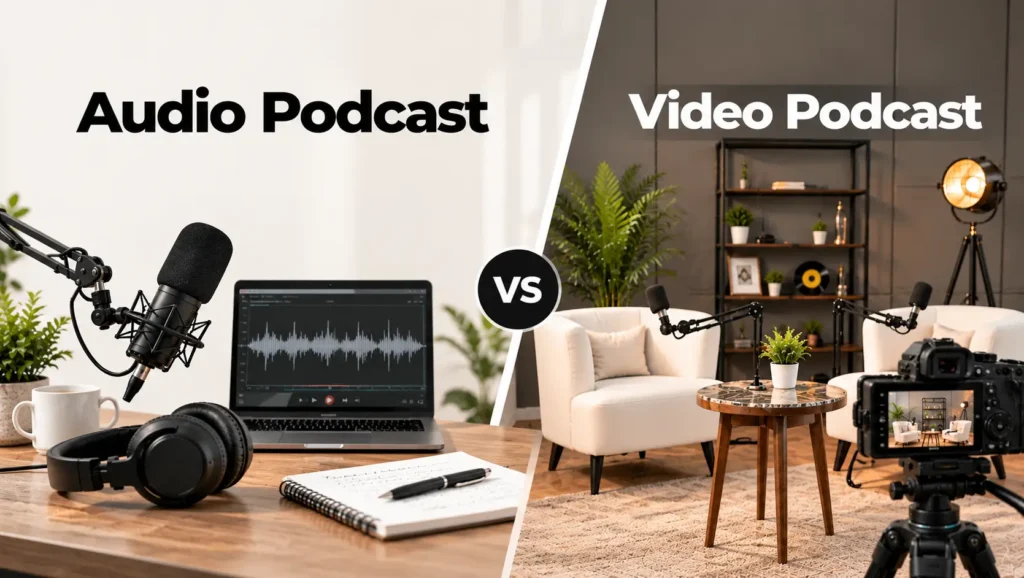
The audio vs video podcast choice affects your budget, editing time and where people find you. Here is a quick side-by-side to help you decide.
| Format | Best for | How people enjoy it | What you need |
|---|---|---|---|
| Audio podcast | Education, stories, interviews, commute listening | Listen in podcast apps or on websites | Mics, headphones, a quiet room |
| Video podcast | Interviews, demos, personality-led shows | Watch on YouTube or Spotify, or just listen | Cameras, lights, a set, video editing |
| Hybrid podcast | Brands and creators who want clips too | Full episode plus short social clips | Full video setup plus a clip plan |
A video podcast is not an audio show with a camera switched on. Video adds a whole second layer of work:
- Cameras: Usually two or three angles, so you can cut between host and guest.
- Lighting: Even, flattering light that stays consistent from week to week.
- Framing: Clean backgrounds and steady shots that look good on phones.
- Syncing: Matching camera footage to the separate, higher-quality audio tracks.
- Exports: Different versions for YouTube, Spotify and vertical clips.
For a first show, audio is cheaper and faster to learn. Video makes sense when your face, your guests’ reactions or your set are part of the value. Maybe you are leaning toward video but do not want to build a set at home. In that case, a studio set up for both audio and video podcasts can take that load off you.
Popular Podcast Formats
Picking a format early makes every episode easier to plan. The podcast types below describe how a show is structured, not what it is about. A comedy show and a finance show can both use the interview format.
- Solo: One host talks directly to the audience. Experts, coaches and personal brands get the most from it.
- Co-hosted: Two regular hosts share the mic and bounce ideas off each other. Shows built on chemistry and banter fit this style.
- Interview: A host brings in a new guest each episode. This works well for growing your network and reaching each guest’s audience.
- Panel or roundtable: Three or more people discuss one topic. Debates, industry news and sports talk suit it best.
- Narrative or documentary: Scripted storytelling built from interviews, research and sound design. True stories and investigative topics shine here, though editing takes the longest.
- Fiction or scripted: Voice actors perform a written story, often across a season. Creative teams with writing and sound design skills are the natural match.
- Educational or explainer: Each episode teaches one concept in a clear, structured way. Teachers, trainers and niche experts tend to choose it.
- Branded or business: A company produces a show to build trust with customers. Firms use it to share expertise instead of running ads.
Many successful shows mix two formats, such as solo episodes between interviews.
What Does It Cost to Start a Podcast in Pakistan?
Your first podcast does not need a big budget. Costs usually fall into three buckets:
- Gear at home: A USB or XLR microphone, closed-back headphones and free editing software is enough for a solo audio show.
- Hosting: Free with Spotify for Creators, or roughly $10 to $20 a month on paid hosts.
- Studio time: Pay per session instead of buying cameras, lights and multiple mics yourself.
At Delenzo Studio, studio sessions are priced by the number of people on the mic. Current Delenzo Studio podcast packages start at the rates below for a one-hour session:
| Package | Best for | Starting price (1 hour) |
|---|---|---|
| Solo | One host, explainer or personal brand episodes | PKR 15,000 |
| Two people | Co-hosted shows and one-on-one interviews | PKR 20,000 |
| Three people | Panels and multi-guest conversations | PKR 30,000 |
Prices can change, so check the package page for what each session includes. For a wider breakdown, see our guide to studio packages in Lahore for content creators.
When Should You Use a Professional Podcast Studio?
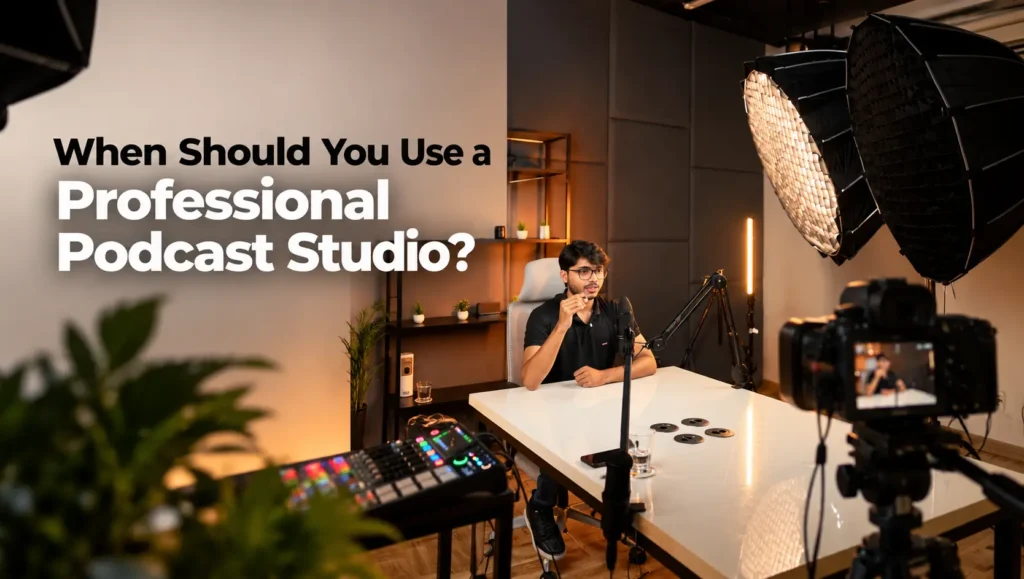
Not every show needs a studio. Most guides on podcasting for beginners say start small, and that is sound advice. The real question is whether your room and gear are holding the show back.
A quiet home setup is usually enough for:
- Solo episodes while you test your topic
- Internal pilots or practice episodes you do not plan to publish
- Early audio-only shows with one mic and a soft, furnished room
A studio starts to make sense when:
- You record guests regularly and want them comfortable
- Your interviews need three or four microphones running at once
- Room echo, ceiling fans or street noise keep leaking into your audio
- You are filming a multi-camera video podcast
- You need lighting that looks the same every week
- Someone else should handle the technical side while you focus on the conversation
- You want to start recording fast, without an hour of cable checks
- You are producing episodes for a client or brand that expects polished results
Home recording comes with local challenges too. Podcasting from a home in Lahore often means fighting traffic horns, generator hum and power cuts mid-take. A UPS helps with the power side, but it will not fix noise or echo.
For a podcast in Pakistan, YouTube is often where audiences discover new shows. That pushes many creators toward video sooner than they planned, which raises the bar for lighting and sound. For local tips on hosting, payments and launch planning, see our guide on how to start a podcast in Pakistan.
Ready to record? Explore Delenzo Studio’s professional podcast studio in Lahore for sound-treated recording, professional microphones, multi-guest setups, video podcast production and technical support.
Your First Episode Checklist
Before you hit record for the first time, run through this list:
- Pick one topic and one target listener for the show
- Choose your format: solo, co-hosted, interview or panel
- Decide audio-only or video from day one
- Write a simple outline and three to five guest questions
- Test your mic and headphones, or book a studio session
- Create your cover art and a short show description
- Set up a podcast host and copy your RSS feed link
- Plan your next two episodes so you can publish on a schedule
Start Your Podcast at Delenzo Studio
A great podcast starts with a clear idea and sound people can enjoy without straining. Delenzo Studio, in High Q Tower, Gulberg, is built for the point where a home setup stops being enough.
The studio is most useful for:
- Creators launching a show who want professional sound from episode one
- Brands producing a business podcast
- Interview and panel shows with several guests
- Video podcasts that need a controlled, well-lit set
You bring the conversation, and the team handles the room, the gear and the technical support. When you are ready, book a podcast recording session at Delenzo Studio.
Recording is only the start, though. Once your first episodes are live, our guide on how to promote a podcast in Pakistan shows how to grow your audience.
Planning your first episode? Talk to our team about recording, video setup or picking the right package.
Contact Delenzo StudioFrequently Asked Questions
A podcast is a series of audio or video episodes you can stream or download anytime. You follow a show, and new episodes appear automatically in your app.
You upload episodes to a podcast host, which creates an RSS feed. You submit that feed to Spotify and Apple Podcasts once, and new episodes then appear automatically.
An audio podcast is for listening only and needs mics and a quiet room. A video podcast adds cameras, lighting and video editing, and also reaches YouTube viewers.
You need a clear topic, a microphone, headphones, a quiet room, editing software and a podcast host. Spotify for Creators offers free hosting without an international card.
No. A quiet room and one good microphone are enough to start. A studio helps when you record guests, film video or need consistent, professional sound.

