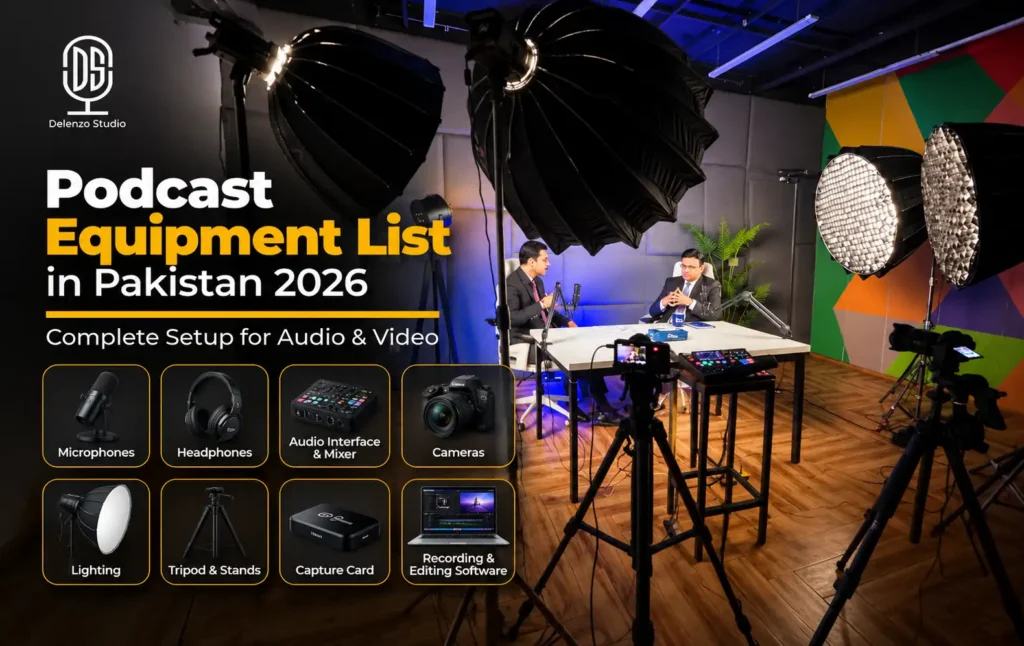
Every podcast needs six audio basics. That means a microphone, wired headphones, a recorder or laptop with software, a mic stand, pop filter and quiet room. XLR microphones also need an audio interface, mixer or recorder. A video podcast adds a camera, lens, tripod, lighting, a clean background and storage with a backup plan. Pick your gear by format, not by brand prestige.
The 6 audio basics every podcast needs
XLR mics also need an audio interface, mixer or recorder.
Most first-time buyers overspend because they shop by brand name. Before buying anything, plan your show around these five factors:
- Number of speakers: each voice needs its own mic, headphone feed and input.
- Room quality: a noisy or echoey room changes which microphone will work.
- Audio-only or video: video adds cameras, lights, storage and editing time.
- Portability: home, office and on-location recording each need a different kit.
- Upgrade path: buy pieces that still fit when your show grows.
This guide covers the podcast equipment Pakistan podcasters rely on most, sorted by format and guest count. Prices are left out on purpose. Local stock, rates and warranty terms shift often, so confirm them with the seller right before you pay. Any dependable podcast setup Pakistan creators can count on also has to handle load-shedding, summer heat and grey imports. This guide covers those too.
What Equipment Do You Need for a Podcast?
Most people searching what equipment do I need to start a podcast in Pakistan need fewer items than they expect. Here is a short podcast equipment list, split into what you need now and what can wait.
Essential for Audio
- Microphone, one per speaker
- Wired, closed-back headphones
- Laptop, desktop or standalone recorder
- Recording and editing software, such as Audacity, Reaper or Adobe Audition
- Mic stand or boom arm
- Pop filter or foam windscreen
- Audio interface, mixer or recorder (only for XLR mics)
Add for Video
- Camera, plus a lens that suits your framing
- Tripod or stable mount
- Key light, with fill and background light as upgrades
- A clean, uncluttered background
- Memory cards, an external SSD and a backup routine
USB microphones plug straight into your laptop. For a solo show, that removes the need for a separate interface. XLR microphones work differently. They need an interface, mixer or recorder to reach your computer, and our guide on how to connect a podcast mic to a laptop walks through each connection.
Your room counts as equipment too. A basic dynamic mic in a quiet, furnished room often beats an expensive condenser in an empty, tiled one. Even premium podcast recording equipment cannot remove echo that the room adds. Our complete podcast studio setup guide shows how to plan the room and gear together.
| Stage | Recommended essentials | What to know |
|---|---|---|
| Audio recording | Microphone, wired headphones, computer or recorder, software, stand or boom, pop filter | Add an interface or mixer only if your mic or workflow needs one |
| Interview or multi-person | One mic and one headphone feed per speaker, enough inputs, multitrack recording | Count inputs before buying. A 2-input interface cannot handle 3 or 4 guests |
| Video podcast | Full audio setup plus camera, lens, tripod, key and fill light, storage | Audio still matters most. Add cameras based on framing and editing needs |
| Backup | Spare storage, UPS or inverter, second recording path where possible | Power cuts can end a long session without warning |
Choose the Right Podcast Setup for Your Format
The fastest way to avoid wrong purchases is to plan equipment by guest count. Every extra person adds a mic, an input, a headphone feed and more cables. Find your format below, then use the rest of this guide to fill each slot. Planning this way keeps your podcast equipment Pakistan budget focused on what each format actually needs.
Every extra voice adds a mic, an input and a headphone feed
| Podcast type | Best for | Essential setup |
|---|---|---|
| Solo audio podcast | Beginners and individual creators | USB mic or simple XLR chain, wired headphones, laptop, boom arm, editing software |
| Two-person podcast | Interviews and co-hosts | 2 XLR mics, 2 headphones, 2-input interface or mixer, separate tracks if possible |
| 3 to 4 person podcast | Panels and group talks | Multi-input mixer or recorder, 3 to 4 mics, headphone amp, room treatment, multitrack recording |
| Video podcast | YouTube and interview content | Full audio chain plus camera(s), lighting, tripod, set, storage and a sync plan |
| Branded studio production | Businesses and recurring shows | Multi-camera and multitrack audio, lighting, producer or engineer, editing and backup plan |
Solo creators can go deeper with our solo podcast setup guide. Your two-person podcast setup is where starter gear usually stops working. Two voices sharing one USB mic rarely sound good. Separate mics on separate tracks let your editor fix one voice without touching the other.
Branded shows face a different test. Companies need episodes that look and sound the same every week. That comes from reliability, a repeatable setup, technical support and careful post-production. Spending more on gear alone will not deliver that consistency.
Best Podcast Microphones in Pakistan
Your microphone shapes how every episode sounds, so it deserves the most thought. The right choice depends on your room, your voice and how many people will speak. Start with the connection type, then pick the mic style.
USB vs XLR Microphones
The USB vs XLR microphone for podcast decision mostly comes down to how many people will talk.
- USB microphones connect directly to a computer. Fewer parts mean fewer things to troubleshoot, which suits solo creators.
- XLR microphones use a three-pin XLR connector and need an interface, mixer or recorder plus cables. In return, they scale easily when guests join.
- Hybrid USB/XLR models give you both outputs. The Shure MV7+, Audio-Technica ATR2100x-USB and Rode PodMic USB are common examples.
How a USB setup and an XLR setup connect
No single mic suits everyone. Hybrids are simply the safer bet when you expect your show to grow. Start on USB today, then move to an interface later without replacing the mic.
Dynamic vs Condenser Microphones
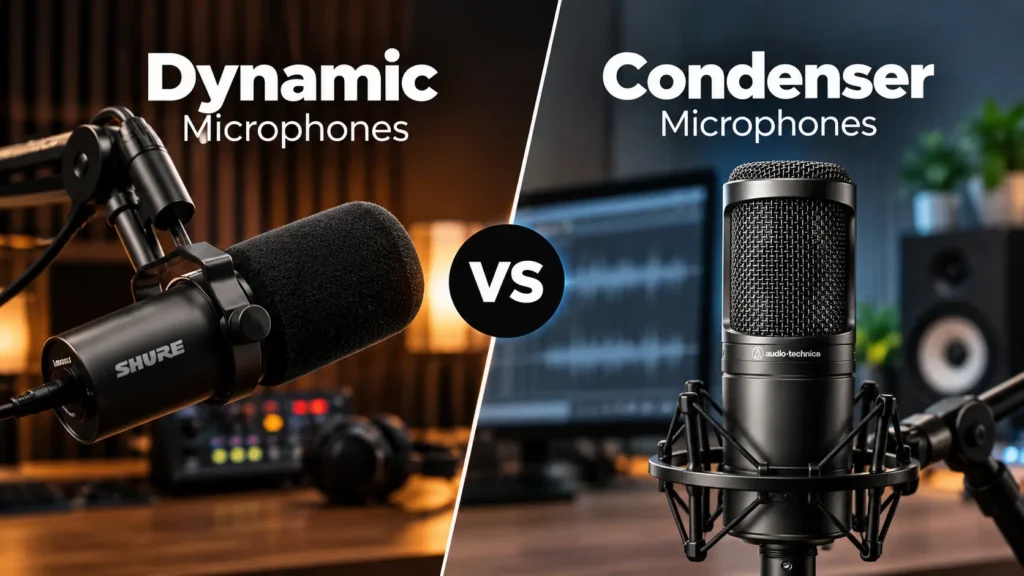
Dynamic microphones pick up less of the room when you speak close to them. That makes them forgiving in untreated bedrooms, offices and rooms near traffic. The Shure SM7B and Rode PodMic are popular dynamic choices.
In our studio sessions, the most common sound problem with new guests is sitting too far from the mic. Keep your mouth within a few inches, and a dynamic mic sounds its best.
Condensers capture more detail and air in a voice. They also capture ceiling fans, echo and the neighbour’s generator. Something like the Audio-Technica AT2020 shines in a treated room with steady mic technique.
Match the microphone to the room and the speaker. Soft-spoken guests in noisy offices need a different mic than trained voices in treated booths.
Accessories the Microphone Actually Needs
Plan these before checkout so the mic works on day one:
- Cable: XLR for XLR mics, or the correct USB-C cable for USB models
- Boom arm or stand: keeps the mic close to your mouth and off the desk
- Pop filter or windscreen: softens harsh “p” and “b” sounds
- Shock mount: useful for condensers and desks that get bumped
Compatibility trips up many buyers. Mics and stands use 5/8 inch or 3/8 inch threads, so check both. Low-output dynamics like the SM7B need plenty of clean gain. Pair them with a high-gain interface or an inline booster such as a Cloudlifter. Most condensers also need 48V phantom power from your interface or mixer.
For model-by-model picks, read our guide to the best podcast microphone in Pakistan.
Audio Interface vs Mixer vs Portable Recorder
All three devices get an XLR mic recorded. They differ in how many voices they handle and where the audio ends up.
- Audio interface: converts mic signals for your computer, and recording happens in software.
- Podcast mixer: handles several mics and headphone mixes, and often records on its own.
- Portable recorder: captures audio to an SD card, usually on battery power.
The audio interface vs mixer for podcast choice gets easy once you count guests. A Focusrite Scarlett 2i2 or similar 2-input interface covers solo and two-person shows well. With three or four people, a podcast mixer like the Rode RodeCaster Pro II makes more sense. It offers four mic inputs and records straight to a microSD card.
Before choosing multi-guest podcast equipment, check these specs:
- XLR inputs match your largest planned episode
- Clean gain, especially for dynamic mics
- One headphone output per speaker
- Multitrack recording, so each voice stays editable
- Onboard or backup recording in case the laptop crashes
| Device | Best for | What to check |
|---|---|---|
| Audio interface | Solo or two-person XLR setups | XLR inputs, gain, direct monitoring, headphone outputs, driver and device support |
| Podcast mixer/recorder | Multi-guest or live production | Separate tracks, routing, onboard recording, headphone mixes, backup recording |
| Portable recorder | Mobile interviews and flexible recording | Mic inputs, storage, battery life, safety track option, size |
Best Headphones for Podcasting
Wired, closed-back podcast headphones are the right default for recording. The closed design stops sound leaking back into the mic, which cuts bleed. Wired models also skip the delay Bluetooth adds, so hearing yourself never feels off.
Judge headphones on these points rather than bass:
- Comfort for sessions longer than an hour
- Isolation from room noise
- A long or replaceable cable
- Flat, accurate sound instead of boosted lows
The Audio-Technica ATH-M40x and ATH-M50x are popular studio choices. Choose the pair that fits your head and budget.
Group sessions need a headphone feed for every person. When your interface has only one output, add a small headphone amplifier that splits one signal into several. Our guide to the best headphones for podcasting in Pakistan compares more options.
Cameras and Lighting for Video Podcasts
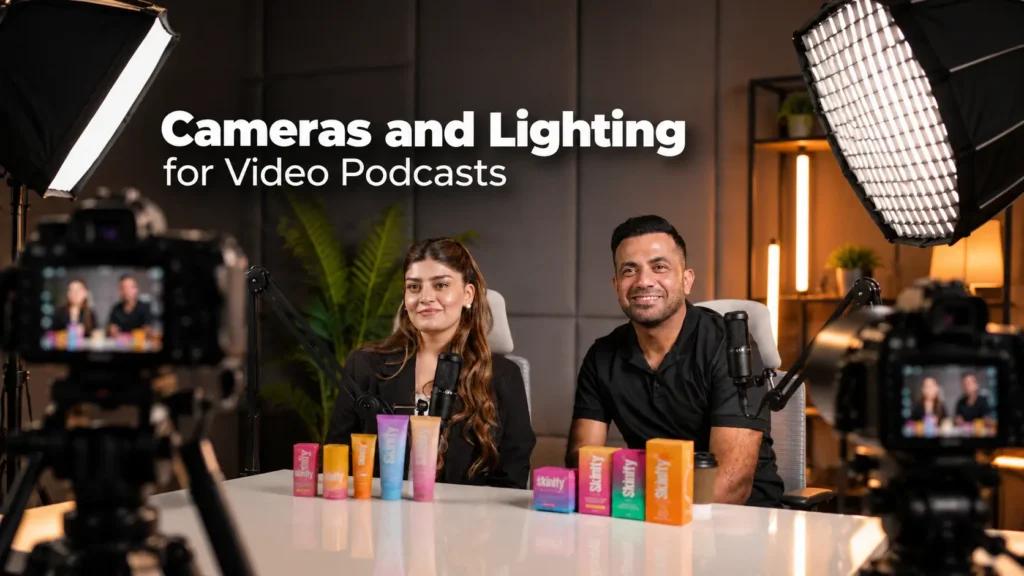
Video turns a podcast into content people can watch on YouTube, Instagram and TikTok. It also adds more gear, files and editing work. These three areas decide whether your video looks clean and stays easy to manage.
One Camera vs Multi-Camera
One camera is simpler, cheaper and quicker to edit. For solo shows and many interviews, a wide shot works fine. Multi-camera setups give editors more angles to cut between. They also multiply storage, power, syncing and editing time.
When picking a podcast camera, look past resolution first. These matter more for long recordings:
- Continuous recording: some cameras stop after a time limit or when hot
- Autofocus: reliable face tracking keeps you sharp when you lean or move
- Clean power: USB-C power or a dummy battery for hour-long sessions
- Heat management: small cameras can overheat in a Lahore summer
- Framing: a lens wide enough for your table and seating
On APS-C bodies, a lens such as the Sigma 18-50mm F2.8 DC DN gives flexible desk framing. At Delenzo Studio, we use a Sigma 50mm F1.4 DG DN lens for close-up shots of each speaker. It gives a natural look without distorting faces. For more pairing ideas, see our guide to camera and lens setup for video podcasts.
Podcast Lighting Setup
Any good video podcast lighting setup starts with one light, not three. It is a simple version of classic three-point lighting.
- Key light: your main light, placed roughly 45 degrees from your face
- Fill or bounce: a weaker light or white reflector that softens shadows
- Background or hair light: an optional upgrade that separates you from the wall
Simple podcast lighting layout (top view)
Start with the key light. Add fill and background light only when you need them. Keep every light at the same color temperature, such as 5600K.
Soft light close to the subject flatters faces more than a bright light far away. Most rooms need just one COB light, such as the Amaran 100d with a softbox. Keep every fixture at the same color temperature, such as 5600K. Cover windows too, because daylight shifts and mixes badly with LED light.
Audio-Video Sync and Storage
Settle your sync method before the first session. The simplest option is a loud clap on camera. Timecode or auto-sync in DaVinci Resolve or Premiere Pro saves more editing time.
Set every device to the same audio sample rate, usually 48 kHz for video. Mismatched rates can drift apart over a long episode.
Storage fills faster than people expect. Recording 4K at 100 Mbps uses roughly 45 GB per hour on a single camera. Three cameras triple that. After each session, copy every file to an external SSD and a second location before formatting cards.
How fast 4K footage fills your storage
Based on 4K recording at 100 Mbps. Copy every file to an external SSD and a second location before formatting cards.
Essential Podcast Accessories
Must-Have Items
- Boom arm or mic stand
- Pop filter or windscreen
- Shock mount, where needed
- XLR and USB cables, plus one spare
- SD cards and an external SSD
- Acoustic treatment, such as panels, rugs, heavy curtains or bass traps
- UPS or inverter, plus a surge protector
- Cable ties, velcro straps and floor cable covers
- Spare batteries and power adapters
Treat power backup for podcast setup planning as essential, not optional. Load-shedding can cut a recording mid-sentence. A UPS keeps your laptop, interface and recorder alive long enough to save files. Add up the wattage of every device, including lights, before sizing your UPS or inverter. Voltage swings can also damage gear, so a stabilizer or surge protector is cheap insurance.
Quick UPS sizing rule
Add the wattage of your laptop, interface or mixer, recorder, camera and lights. Choose a UPS or inverter rated comfortably above that total, so it can keep everything running long enough to stop and save the recording during load-shedding.
Nice to Have
Add these only when your workflow calls for them:
- Teleprompter for scripted shows
- Phone mount for vertical clips
- Monitor for guests or remote calls
- Capture card for live streaming
- Backup recorder for a safety copy
For audio-first shows, put room treatment ahead of cosmetic extras. Neon signs and RGB tubes look great on camera. Foam panels, a thick rug and heavy curtains do far more for your sound. If your space is tight, our small room video podcast setup guide shows how to fit it all in.
Final Setup Recommendation by Creator Type
Recommended setup by creator type
A lot of the podcast equipment Pakistan marketplaces sell comes through grey imports, often without warranty. Buying from an authorized distributor costs a little more but protects you if a mic or interface fails. Run through this quick Pakistan podcast buying checklist before paying:
- Confirm the exact model and version
- Get local warranty and compatibility details in writing
- Test in store or confirm a return window
The home podcast setup vs studio choice comes down to how often you record. Weekly shows in a quiet room justify owning gear. Occasional, video or multi-guest episodes usually cost less with podcast studio rental in Lahore. A professional podcast studio in Lahore also saves setup time, since the gear is ready when you arrive. That is why many creators test or rent before buying.
Not ready to buy a full setup yet? Delenzo Studio in High Q Tower, Gulberg V, Lahore offers audio and video podcast recording. Our team handles the mic, camera and lighting setup, so you can focus on the conversation. Book a session, record a pilot episode and find out what your show really needs before buying anything.
Skip the buying stress. Record in a fully equipped podcast studio in Lahore with mics, cameras and lights ready to go.
Explore Our Podcast StudioFrequently Asked Questions
You need a microphone, wired headphones, a laptop with recording software, a mic stand and a quiet room. XLR mics need an interface, and a UPS protects sessions from load-shedding.
USB is better for solo beginners because it plugs straight into a laptop. XLR is better for interviews and multi-guest shows because it scales with an interface or mixer.
No. A 2-input interface like the Focusrite Scarlett 2i2 records two XLR mics well. Add a headphone amp for two feeds, or choose a mixer for onboard recording.
Cost depends on your format and guest count. A solo USB setup costs the least, while two-person XLR and video setups cost more. Check current local prices before buying.
Build a home setup if you record weekly in a quiet room. Rent a podcast studio if you record occasionally, need video or host three or more guests.

