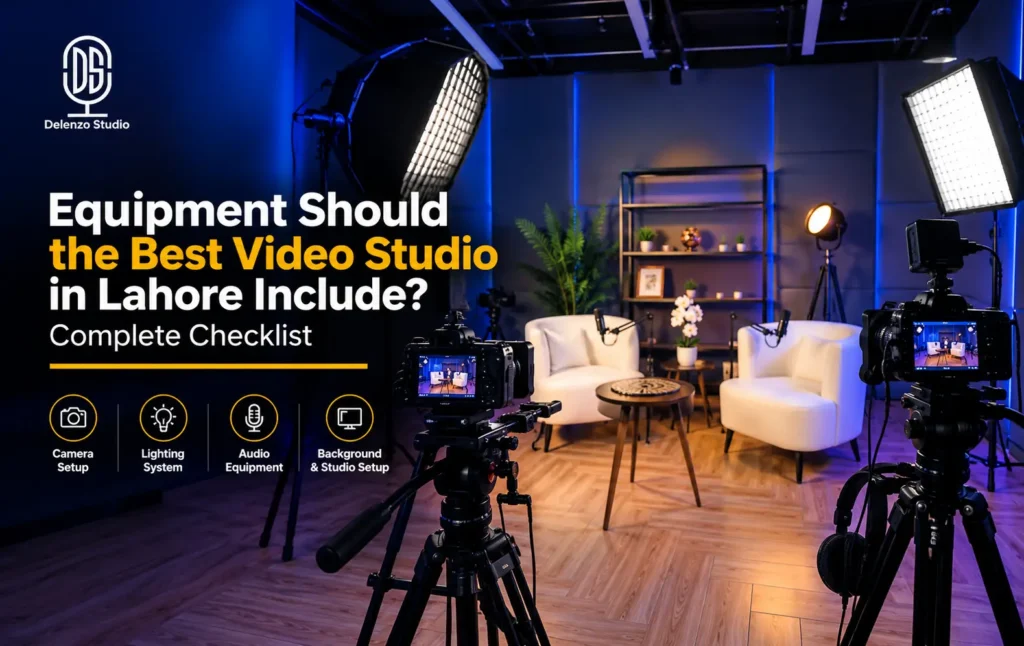
A professional video studio needs seven equipment categories working together: cameras, lighting, audio, support gear, backdrops, editing equipment and backup power. Weakness in one area affects the whole shoot, even when the camera looks impressive. The best video studio equipment matches your content, guest count and delivery needs. Interviews often need multiple camera angles, controlled lighting and separate microphones. Product videos may need close focusing, careful reflections and stable movement instead.
This checklist helps Lahore creators and brands compare studios using practical questions and visible evidence. Visit Delenzo Studio video studio page to review our advertised facilities before discussing your booking.
If you are wondering what equipment does a professional video studio need, start with your planned result. Share your script, example videos, number of speakers and publishing platforms before requesting a quote.
Cameras: Multi-Camera Setup and Lens Variety
Camera choice affects detail, framing and recording reliability. But the right package depends on what happens during your session, not on specs alone.
Multiple cameras capture different angles at once, preserving natural reactions without repeated takes. A typical interview setup includes:
- A wide shot showing everyone and the set.
- A medium shot showing the main speaker.
- A close-up showing reactions and expressions.
A two-person interview often works with two or three cameras, depending on your framing plan. Ask how the crew matches exposure, white balance and frame rates across cameras, and how separate audio stays synced to footage.
4K offers useful detail and cropping flexibility for most deliverables. 6K adds cropping room but creates larger files and heavier editing demands, and is optional for most interviews and social videos.
- Delenzo Studio own camera lineup includes the Sigma fp, Sigma BF and Sony A7III. You can browse our full studio camera and lens setup before booking to see exactly what’s available for your session.
Before booking, ask about recording duration, memory cards, spare batteries and overheating management. Request a sample clip and watch for missed focus, brightness shifts and inconsistent skin tones between angles.
Lens Variety: 24-70mm, 50mm and 85mm
Lenses determine how much of the scene fits your frame, depending on sensor size, room size and camera distance.
- 24-70mm f/2.8 zoom: Covers wide scenes and tighter framing without lens changes.
- 50mm prime: Suits many interview compositions with soft backgrounds.
- 85mm prime: Suits tighter portraits when there’s enough working distance.
An 85mm lens can compress the background when the camera sits farther back, which small rooms may not allow. Ask the studio to show your preferred framing before choosing lenses. For products, check minimum focusing distance and detail sharpness; for moving presenters, test focus tracking during normal gestures.
Lighting: 3-Point Setup, Softboxes, LED and RGB Panels
Good lighting makes faces clear, products readable and colors consistent. Three-point lighting is a common starting point:
- Key light: Main illumination that shapes the subject’s face.
- Fill light: Softens shadows created by the key light.
- Back light: Separates the subject from the background.
Not every scene needs all three powered lights; a reflector can provide fill, and some creative scenes want deeper shadows.
Softboxes soften shadows by spreading light across a wider surface. Adjustable LED panels control brightness and, on some models, color temperature. RGB panels add colored accents for branded sets or music content; keep colored spill off faces unless intentional.
Use this video studio lighting setup checklist during your visit:
- Check every face looks clear from each camera angle.
- Look for reflections on glasses, packaging and screens.
- Test for flicker at your intended camera settings.
- Check skin tones against your brand colors.
- Confirm stands are secured and cables stay clear of walkways.
- Ask if lighting changes count toward your booked time.
Record a short test in your actual clothing or packaging. Small adjustments before recording can prevent difficult fixes in editing.
Audio: XLR Microphones, Interfaces, Boom Arms and Soundproofing
Clear speech matters more than picture quality; a sharp image can’t rescue words buried under noise or echo. Ask to hear an unprocessed room recording before evaluating any audio package.
A flexible chain uses XLR microphones into a dedicated interface, recorder or mixer, with separate inputs for each speaker. Separate tracks make editing easier when guests speak at different volumes. Confirm the device records individual tracks, since some mixers only output a mix.
- Delenzo Studio’s audio chain runs a Rodecaster Pro II interface with a Rode NT1 and Audio-Technica AT2035 microphone, monitored through Audio-Technica ATH-M40x headphones. See the complete mic and headphone lineup on our equipment page for the full specs.
Boom arms or stands hold microphones at a consistent distance. Ask about overhead placement or lavalier microphones for microphone-free framing. Closed-back headphones let the operator catch clothing noise and distortion during recording.
Check these microphone traits:
- Polar pattern: Directional models reject sound from certain directions; omnidirectional models capture all around.
- Connection type: XLR supports flexible recording, though the connector alone doesn’t guarantee quality.
- Frequency response: Look for clear, natural speech without harshness or excess bass.
Soundproofing and acoustic treatment solve different problems. Soundproofing blocks sound transmission through walls; acoustic treatment controls in-room reflections and echo. Foam panels alone don’t guarantee outside noise stays out.
Ask for a brief silence recording with AC running, then a normal speech test. These checks reveal problems polished demo videos can hide.
Support Gear: Tripods, Gimbals, Sliders and Teleprompter
Choose support gear around your shot list, not equipment that will sit unused.
- Tripods: Keep interviews and presenter shots stable.
- Gimbals: Support smoother walking shots when balanced correctly.
- Sliders: Add controlled movement for product details and select shots.
- Teleprompters: Display scripts near the lens for scripted delivery.
Confirm each tripod securely supports your camera and accessories, and ask whether a trained operator comes with movement equipment. For teleprompter sessions, test font size and scroll speed beforehand, and confirm who controls scrolling. Allow rehearsal time when movement and scripted delivery combine.
Backdrops: Chroma, Seamless Paper and Customizable Sets
The background should support your message without distracting from the subject. Check width, condition and distance from the presenter before approving the setup.
Chroma green lets editors replace the background but needs even lighting and separation to avoid green spill; avoid green clothing. Seamless paper (white, black, brown) gives a clean look for explainers, products and portraits — check for creases or joins first. Customizable sets use furniture, shelves and props for a recognizable style; confirm what changes are allowed and whether installation costs extra.
Delenzo’s backdrop options include chroma green, white, black and brown. For repeat recordings, request reference photos of furniture and lighting positions to keep episodes consistent.
Basic vs. Professional vs. Premium Studio Equipment: What’s the Real Difference?
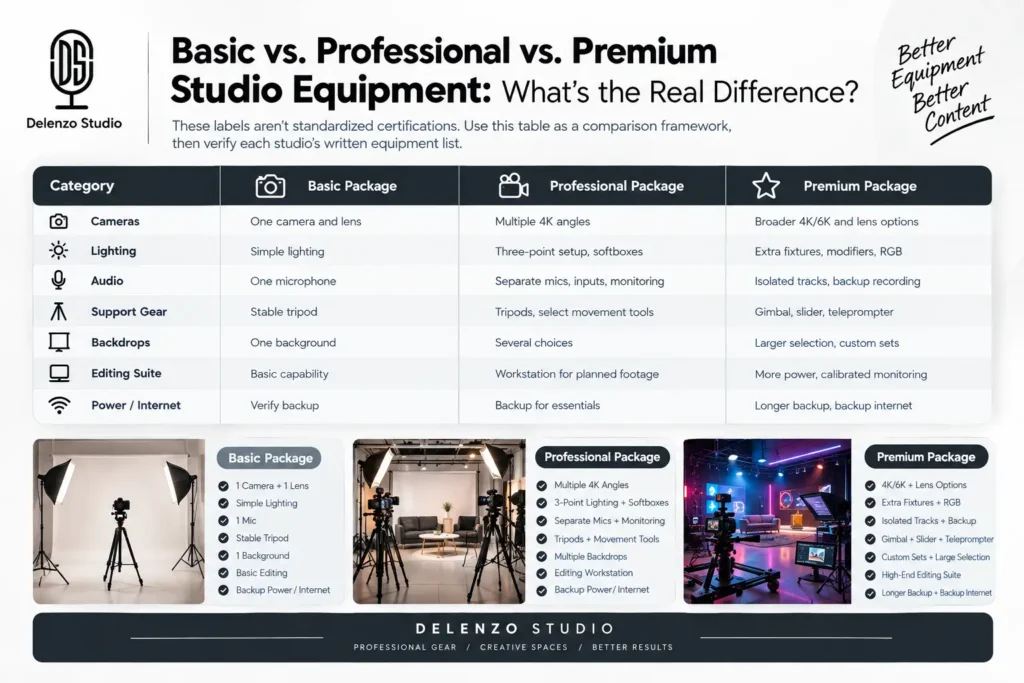
These labels aren’t standardized certifications. Use this table as a comparison framework, then verify each studio’s written equipment list.
| Category | Basic package | Professional package | Premium package |
| Cameras | One camera and lens | Multiple 4K angles | Broader 4K/6K and lens options |
| Lighting | Simple lighting | Three-point setup, softboxes | Extra fixtures, modifiers, RGB |
| Audio | One microphone | Separate mics, inputs, monitoring | Isolated tracks, backup recording |
| Support gear | Stable tripod | Tripods, select movement tools | Gimbal, slider, teleprompter |
| Backdrops | One background | Several choices | Larger selection, custom sets |
| Editing suite | Basic capability | Workstation for planned footage | More power, calibrated monitoring |
| Power/internet | Verify backup | Backup for essentials | Longer backup, backup internet |
Match the package to your project. A simple lesson needs one camera and clear audio; a panel discussion needs enough mics and coverage for every guest.
Ask whether the editing workstation handles multiple camera angles smoothly, and about monitor calibration for color-sensitive work. On power, confirm what stays running during an outage and whether generator switching interrupts recording. For livestreams, check upload capacity and backup internet.
Common Mistakes When Choosing a Video Studio Based on Equipment
- Choosing by resolution alone. Check lenses, focus, lighting and audio first.
- Ignoring backup power. Ask what happens during an interruption.
- Overlooking editing. Confirm color correction, sound cleanup, captions and revisions in your quote.
- Assuming mics fix room problems. Listen to an unprocessed test first.
- Comparing headline prices only. Check quantities, operators and setup time.
Request an itemized quote, confirm when the clock starts, and clarify charges for extra cameras, hours, backdrop changes and revisions. Agree on file delivery (raw footage, separate tracks, horizontal or vertical formats) and backup retention before the shoot. Send each shortlisted studio the same brief for a fair comparison.
Conclusion: What to Look For in Lahore’s Best Video Studio
The best video studio equipment supports the full journey from recording to delivery. Review cameras, lighting, audio, support gear, backdrops, editing and power reliability together, and ask for demonstrations and written inclusions before committing your budget.
Start with your content needs, then choose equipment that serves them. Clear speech and dependable recording matter more than unnecessary upgrades.
Explore Delenzo Studio’s video facilities in Lahore and share your planned shoot with the team.
Frequently Asked Questions
A professional video studio needs multiple cameras, three-point lighting, XLR microphones, tripods or gimbals, backdrops, editing equipment and backup power working together for reliable results.
Basic setups use one camera, simple lighting and a single microphone. Professional setups add multiple 4K cameras, three-point lighting with softboxes, and separate microphones with individual recording inputs.
A video studio needs a fast multi-core processor, a dedicated GPU with high VRAM, fast SSD storage, and 32GB to 64GB of RAM for smooth editing.
Backup power keeps cameras, lighting, audio and recording equipment running during unexpected outages, protecting footage from loss and preventing interrupted sessions or missed client deadlines.
A professional video studio needs a versatile lens range: a 24-70mm zoom, a 50mm prime and an 85mm prime, covering wide shots, interviews and tight portraits.