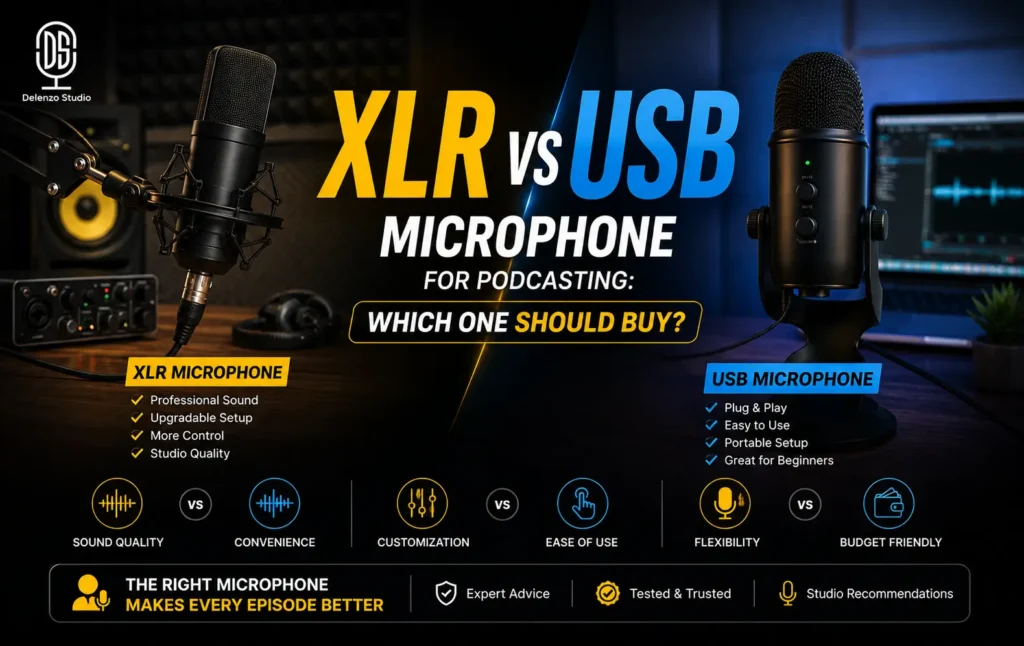
Choose a USB microphone for the simplest, most affordable start to solo or two-person podcasting. Choose an XLR microphone if you plan multi-guest episodes or want long-term studio-grade control. Still unsure which one describes your show? A hybrid mic lets you start simple and upgrade later without rebuying the microphone. Here is what most buying guides still get wrong. In 2026, the XLR vs USB microphone for podcasting decision is no longer settled by raw sound quality. High-quality USB mics now rival entry-level XLR setups on clarity, warmth, and noise floor. The real decision driver is workflow and scalability.
The question of whether I should buy XLR or USB mic appears in almost every local podcasting group. This guide answers it properly, without gear-forum jargon. It is the deep comparison our solo-mic and mic-connection guides point readers toward. If you land on XLR, your next choice is covered in our guide to audio interface vs mixer for podcasting.
The Actual Difference Between USB and XLR Microphones
A USB microphone bundles three components into one body. It contains the capsule, the preamp, and the analog-to-digital converter. It plugs straight into your laptop and appears instantly as a recording device. Nothing sits between the mic and your software.
An XLR microphone works differently. It sends a raw analog signal down a three-pin balanced cable. That signal carries no conversion and very little gain of its own. It needs an external audio interface or mixer to amplify and convert it. Only then does it reach your computer.
That single structural difference explains almost everything else in the XLR vs USB mic comparison:
- USB mic: capsule, preamp, and converter in one unit, connected by a single cable
- XLR mic: capsule only, connected by XLR cable to an interface or mixer
- USB gives you fewer parts to manage. XLR gives you more control over each part
One more technical point is worth knowing. XLR cables carry a balanced signal, which cancels out electrical interference along the way. That is why studios run them across long distances without picking up hum. USB cables are not built for that kind of run. Most USB mics stop working reliably past three metres without a powered extension.
Neither approach is better in isolation. They solve different problems for different show formats.
USB Microphones, Who They’re Actually Right For
USB microphones dominate the entry level for a reason. They suit one kind of show very well, and struggle badly with another. Knowing which side you fall on saves money and editing time later. Here is the honest case both ways.
The Case for USB
USB has become the default first microphone for good reason. It removes nearly every barrier between buying gear and recording episode one.
The practical advantages:
- No extra gear required. No interface, no phantom power, no separate cables to source
- Lower upfront cost. Your entire budget goes into the microphone itself
- Plug-and-play setup. Connect the cable, select the device, press record
- Strong audio quality in 2026. Mid-range USB mics deliver clean, broadcast-usable voice
- Travel friendly. One cable and a laptop form a complete recording rig
For a solo host, a USB microphone for podcasting covers everything the show realistically needs. The same is true for two-person interviews recorded on separate machines. Remote guests captured through Riverside or Zencastr also fit this setup well.
Anyone searching for the best podcast microphone Pakistan creators actually use will find mostly USB models. That reflects real usage patterns, not marketing bias. Most local shows are solo, weekly, and recorded in a home room or small office.
Cost context matters here too. Import duties and shipping push audio gear prices higher in Pakistan than in the US. Skipping the interface saves real money on day one. Spend that saved budget on your room instead. A bare space with tiled floors and glass windows will sound harsh either way. Curtains, a rug, and a bookshelf beat any upgrade to XLR. Fix the space first, then argue about connectors.
On the USB mic vs XLR mic quality difference, the honest answer is that the gap has narrowed sharply. A good USB mic and a budget XLR mic paired with a cheap interface sound remarkably similar. The audible gap only appears once you move into higher-tier preamps and conversion. Most listeners will never notice it through phone speakers or earbuds.
Where USB Falls Short
The real limitation of USB is not sound. It is scale.
Every USB microphone functions as its own independent audio device. Your computer sees each one as a separate sound card with its own internal clock. Recording software generally expects a single input device, not three competing ones.
Here is what typically happens when creators run multiple USB mics for a multi-guest episode:
- Tracks slowly drift out of sync across a long recording
- Noticeable latency builds between speakers
- Some software refuses to record from two USB mics at once
- Workarounds such as aggregate devices add instability and setup time
- Troubleshooting eats into your guest’s limited studio time
This is the single most common reason podcasters outgrow USB. The microphone did not fail. The format was simply never designed for a shared signal chain.
There is a second limit worth naming. Your upgrade path stays narrow. Better preamps or cleaner conversion means replacing the whole microphone, not adding a component. Your old USB mic then becomes a spare rather than part of the new setup.
A third limit shows up during editing. When two voices land on one shared track, separating them cleanly becomes difficult. Removing a cough, a chair creak, or crosstalk takes far longer. Separate tracks per speaker make that work simple, and USB rarely delivers them.
XLR Microphones, Who They’re Actually Right For
XLR asks more of you upfront, and gives back more over time. It is built for shows that grow, add voices, and stay running for years. The extra cost buys control rather than instant convenience. Here is where that trade pays off.
The Case for XLR
XLR is the format professional studios have used for decades. That is not nostalgia. It is a design built to scale without breaking.
The core advantages:
- True multi-input scalability. A two, four, or eight input interface handles every guest through one device
- No sync or latency issues. All microphones share one clock and one unified signal chain
- Cleaner long-term signal control. You choose your preamps, gain staging, and conversion quality
- Separate track per guest. Each voice records independently for precise editing and mixing
- Modular upgrades. Swap the interface without swapping the mic, or the reverse
If you are shortlisting the best mic for multi-guest podcast Pakistan studios rely on, XLR is the practical answer. Three people in one room means one interface and three cables. That stays simple. Three USB mics into one laptop rarely does.
There is a positioning factor as well. Shows built for sponsors, brand partners, or corporate guests benefit from a studio-grade look and sound. XLR still signals that standard clearly to guests and listeners.
The tradeoffs are real and worth stating plainly. You are buying at least two pieces of gear instead of one. Gain staging takes a little learning. Setup time before each session runs longer than plugging in one cable.
One detail saves new XLR buyers real frustration. Dynamic microphones do not need phantom power, while condenser microphones do. Most podcast studios prefer dynamic mics for a reason. They reject room noise, traffic sound, and neighbouring voices far better. In a typical Lahore office or apartment, that rejection matters more than extra detail.
For a weekly solo show, that overhead is hard to justify. For a growing interview show, it pays for itself quickly.
The Hybrid Option, USB and XLR in One Microphone
Most buying guides skip this path entirely. It deserves far more attention, especially for creators who cannot predict their show format yet.
A hybrid USB XLR podcast microphone carries both outputs on the same body. The Audio Technica 2100x-USB is the best-known example of this design. You connect it by USB on day one with no interface at all. Later, when a co-host or regular guest joins, you plug the same mic into an interface using XLR.
Why this matters financially:
- You spend once on the microphone instead of twice
- Your later upgrade cost covers only the audio interface
- Your recorded tone stays consistent before and after the switch
- You can test multi-guest formats without committing to a full studio build
- Your back catalogue keeps a matching sound signature across seasons
The catch is price. Hybrid mics sit above basic USB models in cost. If your show will stay solo permanently, that premium is unnecessary spending. If you genuinely do not know yet, it works as cheap insurance.
Hybrid models also solve a smaller but common problem. Many creators record at home during the week and in a studio occasionally. One microphone covers both settings without any change in tone. Your listeners hear a consistent voice across every episode.
For many Pakistani creators, this is the most sensible purchase available. Podcast formats change quickly once a show starts finding an audience. A solo commentary show becomes an interview show within a season. Buying a mic that survives that change is simply good planning.
USB vs. XLR, Side-by-Side Comparison
Before the table, here is the fastest way to place yourself:
- Recording alone, weekly, at a desk: buy USB
- Recording remote guests over Riverside or Zoom: buy USB
- Recording two or more people in one room: buy XLR
- Building a fixed studio corner for the next few years: buy XLR
- Unsure, and expecting the format to change within a year: buy hybrid
Use the table below to confirm that call before you spend anything.
| Factor | USB Microphone | XLR Microphone |
| Upfront cost | Lower, mic only | Higher, mic plus interface |
| Setup | Plug and play | Interface plus phantom power |
| Sound quality | Strong | Strong, with more control |
| Multi-guest use | Weak, sync and latency issues | Strong, one clean signal chain |
| Best for | Solo and remote shows | Multi-guest and studio shows |
| Upgrade path | Replace the mic | Already the upgraded format |
| Hybrid pick | Audio-Technica ATR2100x-USB | Same mic switches to XLR |
Conclusion, Making the Right Choice for Your Podcast
The XLR vs USB microphone for podcasting choice comes down to format, not budget alone.
- USB is the right call for most solo and beginner Pakistani podcasters recording today
- XLR earns its extra cost on multi-guest shows and long-term studio builds
- A hybrid mic is a fair hedge for anyone still deciding where their show is heading
Buy for the show you are making this year, not the show you imagine in five years. A USB mic used weekly beats an XLR setup that intimidates you into silence. Consistency wins listeners. Gear does not.
If you chose XLR, your next decision is what the microphone plugs into. Read our guide to audio interface vs mixer for podcasting before spending anything further. It saves most creators from buying the wrong box.
Some creators would rather skip the equipment decision completely, at least for now. That is a reasonable choice for early episodes and pilot seasons. Delenzo Studio in High Q Tower, Gulberg V, Lahore keeps professional XLR chains already configured for solo and multi-guest recording. You walk in, sit down, and record.
A studio session also settles the question faster than any spec sheet. You hear a professional signal chain in practice, not in theory. That makes your own purchase far easier to judge. Book a session and record your next episode on a setup that already works.
Ready to Create Professional Content?
Book your podcast, video, or photography session at Delenzo Studio and turn your ideas into high quality content.
Book Your Studio SessionFrequently Asked Questions
Buy USB for your first podcast. It handles solo and remote recording well, costs less, and needs no interface. Move to XLR only when you start recording multiple guests in one room.
Not significantly in 2026. A good USB mic matches an entry level XLR setup closely. The audible gap appears only with higher tier interfaces and preamps, which most listeners never notice.
Technically yes, but it rarely works well. Each USB mic acts as a separate audio device, causing latency and sync drift. Use one XLR interface instead for reliable multi guest recording.
A hybrid mic has both USB and XLR outputs on one body. It is worth buying if your show may add guests later. You upgrade the interface, not the microphone
Yes, because XLR needs a microphone plus an audio interface. Import duties raise both prices in Pakistan. Budget for two purchases, and choose XLR only when multi guest recording justifies it.