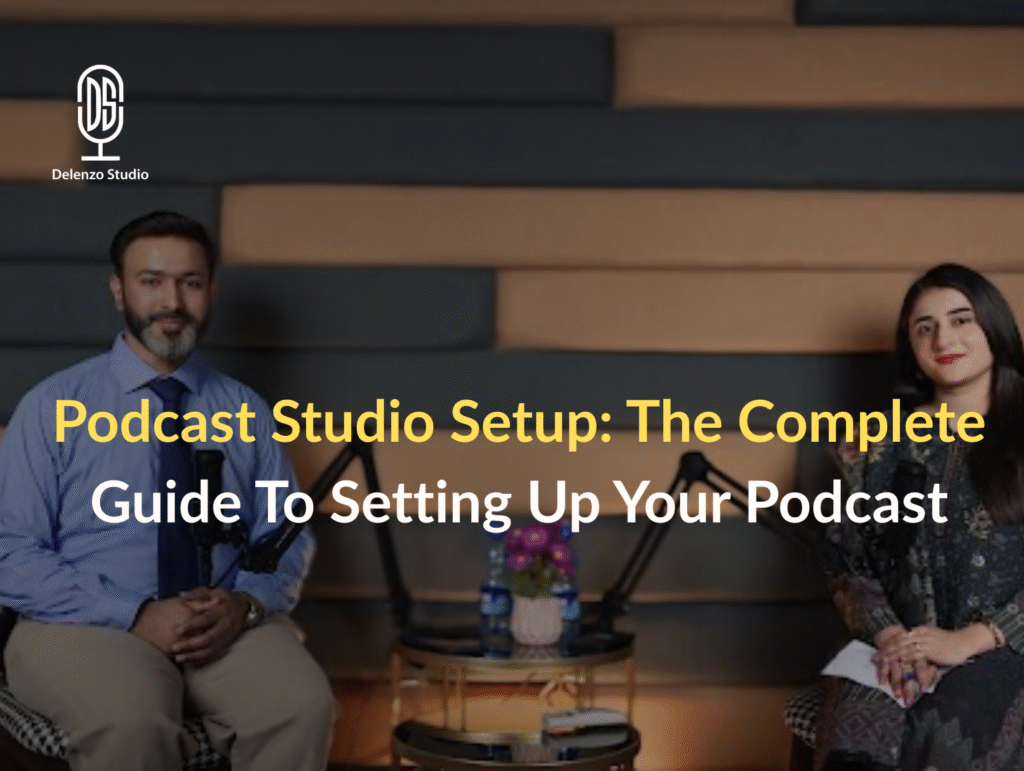
A professional podcast studio setup helps creators produce clear, engaging, and reliable content. Whether you run interviews, business podcasts, or branded shows, the right studio makes production easier and faster. Many beginners focus only on microphones. However, a complete setup includes cameras, lighting, software, and acoustic treatment. When these elements work together, your podcast sounds polished and looks professional.
Moreover, a well-planned podcast studio also saves time during editing and publishing. You spend less effort fixing problems and more time creating content. This guide explains each part of a complete podcast recording setup in simple terms. It is written for beginners, growing creators, and businesses planning a long-term studio. You will learn about essential podcast equipment, recording software, lighting, and accessories. Ultimately, the goal is to help you choose the right tools, avoid common mistakes, and build a setup that fits your budget while supporting future growth.
Complete Podcast Studio Setup – Podcast Equipment
Here’s a complete podcast studio setup guide. Specifically, if you want to start from scratch and achieve professional-quality audio and video quickly, following this setup ensures a smooth workflow, reliable equipment, and efficient production. It’s ideal for creators who want high-quality results without wasting time on trial and error.
- Podcast Camera: Sony A7III / Sigma BF – full-frame cameras that deliver sharp, cinematic video with excellent low-light performance
- Podcast Lens: Sigma 35mm F1.4, 50mm F1.4 – fast prime lenses that create a beautiful blurred background and natural-looking depth
- Podcast Microphones: RØDE NT1, Audio-Technica AT2035, AT2040 – clean, detailed studio microphones trusted for professional podcast recording
- Podcast Headphones: Audio-Technica M40x – accurate monitoring headphones for checking sound levels and clarity
- Podcast Mixer: RØDECaster Pro II – an all-in-one podcast production console that connects microphones, headphones, and recording sources seamlessly
- Studio Lighting: Aputure Amaran and RGB key lights – powerful, adjustable lighting that keeps your setup well-lit and visually consistent
- Capture Cable: Micro HDMI to HDMI cable – connects the camera to your capture device or display for live monitoring or streaming
- XLR Microphone Cables: XLR Male to XLR Female cables – link microphones directly to the RØDECaster Pro II with clean signal flow
- MAC: Mac Studio with M4 Max chip – a high-performance system built to handle recording, editing, and heavy creative workloads
- Studio Environment: Soundproof studio – treated space that reduces echo and background noise for clean audio recordings
- Background Setup: Chroma background – allows flexible background changes for videos, branding, or virtual sets
- Editing Software: Adobe Premiere Pro, Audacity, Adobe Creative tools – professional software for audio cleanup, video editing, and post-production
Podcast Microphones
Choosing the right podcast microphone is the most important decision in any studio. A good microphone captures natural voice tone and reduces background noise. Different budgets require different microphone types. Therefore, it helps to compare options before investing. Below are three practical categories used in professional studios.
High Investment:
- Shure SM7B – industry-standard sound for broadcast studios
Medium Cost:
- RØDE NT1 – clean, low-noise condenser microphone
- Audio-Technica AT2035 – warm tone with solid clarity
Budget Friendly:
- Audio-Technica AT2040 – dynamic mic with good noise rejection
Other Podcasting Microphone Options
USB microphones are another option for beginners and solo creators. They connect directly to computers without audio interfaces. Lavalier microphones work well for mobile and interview-based podcasts. Shotgun microphones are useful for video-focused setups.
Tip: Always choose microphones based on your recording environment. Untreated rooms work better with dynamic microphones. Treated studios allow condenser microphones to shine.
Podcast Camera
A podcast camera improves engagement and supports video distribution on YouTube and social media. Mirrorless cameras are popular because they offer sharp image quality and strong low-light performance. Cameras like the Sony A7 series or the Sigma BF camera work well for studio use.
Delenzo Studio uses these professional mirrorless cameras in its podcast recording setup to maintain consistent video quality across all productions.
Meanwhile, prime lenses with wide apertures create a soft background blur. This makes the speaker stand out. A fixed camera angle keeps production simple and consistent. Video podcasts benefit from clean lighting and stable framing. Even a single-camera setup can produce professional results when combined with good audio and lighting. As a result, investing in a reliable podcast camera setup helps content stay relevant across multiple platforms.
Podcast Headphones
Podcast headphones allow hosts and producers to monitor sound while recording. Closed-back headphones are preferred because they prevent audio leakage into microphones. Accurate monitoring helps catch distortion, clipping, or background noise early.
Likewise, comfort also matters during long recording sessions. Headphones like Audio-Technica M40x provide balanced sound and durability. Each speaker should have their own pair. This improves communication and recording control. Headphones also help during editing and mixing. Clear monitoring leads to consistent audio quality. A reliable headphone setup supports both recording and post-production stages of a professional podcast studio.
Delenzo Podcast Studio also uses the high-end M40x headphones to maintain accurate monitoring throughout recording and post-production.
Podcast Recording Software
Podcast recording software manages audio capture, editing, and exporting. Good software offers stable recording, multi-track support, and simple editing tools. Beginners should look for easy interfaces. Professional studios need advanced editing and mixing features.
Notably, recording software should support the WAV format for high-quality audio. It must also work smoothly with audio interfaces and mixers. Reliable software reduces crashes and data loss. Choosing the right podcast editing software speeds up production and improves sound quality. Most studios use a combination of recording and editing tools to meet different production needs.
Zoom Podcast Recording Tips
Remote recording tools like Zoom are useful for guest interviews. For example, internet quality can affect audio clarity. Always ask guests to use headphones and quiet rooms. Record separate audio tracks when possible.
Studio podcast recording remains the preferred option. It delivers stable sound quality and better control. Zoom should be a backup solution rather than a primary recording method for professional podcasts.
Live Streaming Podcast Recording Options
Live streaming allows real-time audience interaction. Platforms like YouTube Live and Facebook Live are common choices. Still, live podcasts have one major drawback. Mistakes cannot be fixed before publishing.
Live setups require strong internet, reliable software, and careful monitoring. Audio issues can affect viewer trust instantly. Studio podcast recording offers better control, editing flexibility, and consistent quality. Consequently, many creators record in-studio first, then stream edited content. This approach protects brand quality while still supporting live engagement when needed.
In-Person Podcast Recording Options
In-person podcast recording offers the highest audio quality. All speakers use the same equipment and environment. This creates consistent sound levels and natural conversation flow. Studio recording also allows real-time monitoring and direction. It works best for interviews, business podcasts, and branded content. Controlled environments reduce editing time and improve listener experience.
GarageBand
GarageBand is an older but reliable audio recording tool for Mac users. It offers basic multi-track recording and editing features. The interface is simple and beginner-friendly. GarageBand works well for small projects and learning audio basics. Nevertheless, it lacks advanced mixing tools. Many creators start with GarageBand before upgrading to professional podcast recording software.
Audacity
Audacity is a free, open-source audio editor used worldwide. It supports multi-track recording and basic audio cleanup. The software runs on Windows and Mac systems. Delenzo Studio uses Audacity for quick edits and noise reduction tasks. It is lightweight and stable for simple podcast workflows. Audacity remains a practical choice for budget-conscious creators.
Adobe Audition
Adobe Audition is a professional audio editing tool. It offers advanced noise reduction, mixing, and mastering features. The interface supports multi-track podcast production. Delenzo Studio uses Adobe Audition for detailed post-production work. It integrates well with other Adobe tools. Audition suits creators who want broadcast-level audio quality and workflow efficiency.
Pro Tools
Pro Tools is a paid, industry-standard audio production software. It is widely used in professional studios worldwide. The software offers precise editing and mixing control. Delenzo Studio uses Pro Tools for high-end projects requiring maximum accuracy. While it has a learning curve, it delivers excellent results. Pro Tools suits serious podcasters and production teams.
Podcast Recording Tip
Speed helps businesses grow faster by saving time, meeting deadlines quickly, and delivering results before competitors can react. Publish episodes quickly to stay relevant. Focus on authenticity rather than perfection. Always record in WAV format. Maintain consistent microphone levels. Leave headroom to avoid distortion. Silence phones and notifications before recording. These habits protect audio quality and reduce editing time.
Podcast Audio Mixers / Interface
Audio mixers manage microphone inputs and recording levels. Interfaces convert analog sound into digital audio. Devices like RØDECaster Pro II combine both functions. They simplify multi-mic podcast setups. Mixers improve workflow and recording reliability. A good mixer is essential for professional podcast studios.
Podcast Studio Lighting
Podcast studio lighting improves video clarity and brand appearance. Good lighting removes harsh shadows and keeps skin tones natural. Studio lighting should remain consistent across episodes. Adjustable lights help control brightness and color temperature.
- Amaran 200x – powerful key light for main subjects
- Amaran 2100x RGB – creative color control for background accents.
- Softboxes – soften light and reduce harsh shadows.
Proper lighting makes your podcast look professional on every platform.
Podcast Studio Accessories
Accessories complete your podcast studio setup. Mic arms reduce desk vibrations and improve positioning. Pop filters soften harsh sounds and reduce plosives. Shock mounts isolate microphones from movement noise. Acoustic panels reduce echo and room reflections. A chroma screen allows flexible background changes for video podcasts.
These accessories improve sound quality and visual consistency. They also make recording more comfortable. Investing in the right accessories helps maintain professional standards and long-term studio efficiency.
Frequently Asked Questions
A complete podcast studio setup includes a quality microphone, camera, audio interface or mixer, headphones, lighting, recording software, soundproofing, and a powerful computer. Together, these tools help you record clear audio and sharp video, and produce professional podcast episodes efficiently.
The best camera for podcast recording offers clean video, reliable autofocus, and good low-light performance. Mirrorless cameras like Sony models and the Sigma BF camera are popular choices. Both deliver sharp visuals, handle long recordings well, and integrate easily with live streaming and studio setups, making them favorites in podcast recording setups.
The best podcast recording software depends on your workflow. Audacity is great for beginners, while Adobe Audition and Pro Tools suit professional studios. These tools help record, edit, and mix audio with consistent quality.
To record a podcast on Zoom, schedule a meeting, connect your microphone and headphones, and enable local or cloud recording. Use separate audio tracks for better editing. However, a studio recording is preferred for higher audio quality and better control.