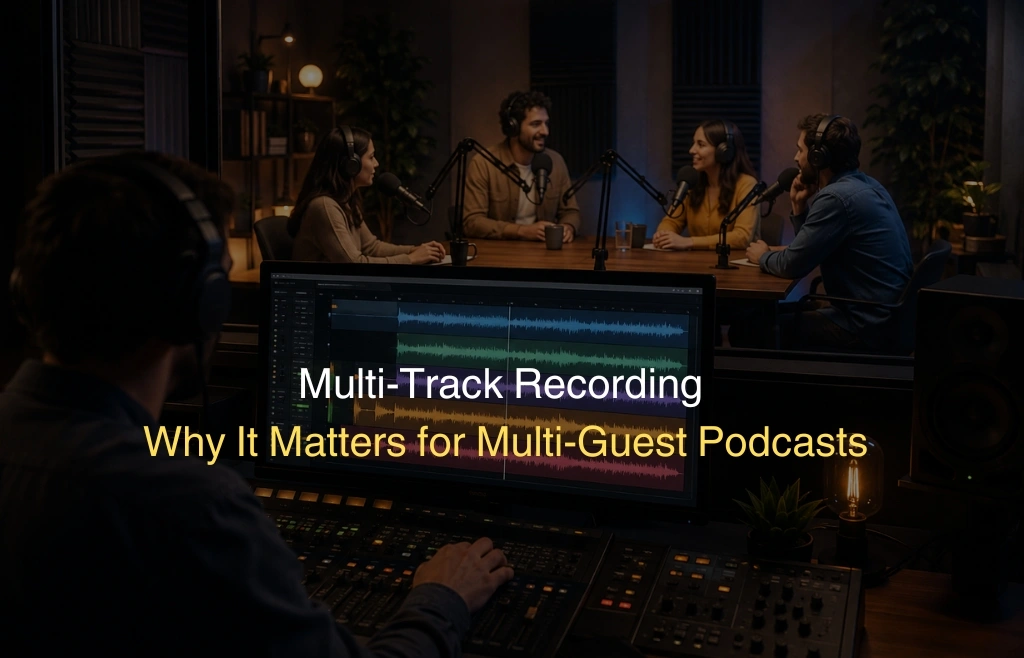
You sit down with two guests. The conversation flows well. The energy is right. Then you listen back and realize one mic is too loud, someone coughed, and there is background noise from one corner of the room. You cannot fix any of it without ruining the whole recording. That is the exact problem that multi-track recording solves.
This guide explains what it is, why every multi-guest podcast needs it, and how to set it up properly every single time.
What Is Multi-Track Recording in Podcasting — A Simple Explanation
Multi-track recording means each microphone saves its audio to a completely separate file. If you have three guests, you get three separate tracks. Each one is its own isolated audio layer that you can edit independently.
In a single-track setup, all voices merge into one file during recording. What goes in cannot come out. In a single track vs multi-track podcast comparison, the difference is simple: one gives you no control after recording, the other gives you full control over every voice.
Think of it like video editing. You would never shoot a film with all actors merged into one camera layer. Audio works the same way. Separate tracks mean you keep your options open at every step of the editing process.
Why Multi-Track Recording Is Non-Negotiable for Multi-Guest Podcasts
The moment a second person sits in front of a mic, everything changes. You are now dealing with two voices, two sets of room acoustics, and two recording levels. More inputs mean more chances for something to go wrong. Multi-track recording is not a preference at that point. It is the only way to protect your session from problems you cannot predict in advance.
Here are six real situations where it makes the difference between a great episode and an unusable one.
Reason 1 — One Guest Coughs While Another Is Speaking
It happens in almost every long session. A guest clears their throat right when someone else is making an important point. In a single file, you cannot remove the cough without cutting out the other voice too. With multi-track recording, you open only the coughing guest’s track and remove it there. The other voice stays perfectly intact.
Reason 2 — One Guest’s Mic Is Louder Than Another
Different voices project differently. One guest speaks close to the mic. Another leans back. One has a naturally loud voice. Another is softer. These differences result in uneven volume across your recording. When everything is on one track, raising or lowering the level affects all voices at once. With separate tracks, you adjust each voice individually using your audio interface podcast software or DAW without affecting anyone else on the panel.
Reason 3 — Background Noise From One Position in the Room
Maybe one guest is sitting near an air vent. Maybe a chair scraped the floor on one side of the table. That specific noise lives only on that mic’s input. With multi-track recording, you isolate that track, apply noise reduction or a gate only there, and leave the other voices completely untouched. Without track separation, treating one mic’s noise means processing everything else too.
Reason 4 — Guests Talk Over Each Other
Crosstalk is common when conversations get exciting. Two guests speak at the same time. On a merged file, those overlapping moments are locked together permanently. On separate tracks, you can shift one voice slightly, lower it under the other, or trim it to reduce the overlap. You recover moments that would otherwise be unusable.
Reason 5 — One Mic Picks Up Audio Bleed From Another
Even in treated rooms, a microphone can pick up sound from a nearby mic. This is called bleed or spill. If guest A’s mic picks up a faint echo of guest B’s voice, that bleed will muddy the mix. With multi-track podcast recording, you apply specific gating or noise reduction to guest A’s track without changing how guest B sounds. You treat the source of the problem directly.
Reason 6 — Different Voices Need Different EQ and Compression Settings
Every voice is unique. A deep baritone needs different EQ than a higher-pitched voice. A quiet speaker needs more compression than a naturally loud one. Applying the same settings to all voices on a single file always results in a compromise that suits nobody fully. With separate tracks, each voice gets tuned individually. Each XLR podcast microphone input gets its own processing chain. The result is a polished, balanced episode where every guest sounds their best.
Three-Point Checklist — Confirm Multi-Track Is Active Before Every Session
Many podcasters assume multi-track is always on by default. It is not. A missed setting means all that preparation and studio time results in a merged file you cannot properly edit. Run this quick check before every session begins.
Check 1 — Verify Multi-Track Mode Is Enabled in the RodeCaster Settings
On the RodeCaster Pro II multi-track setup, open Settings, go to Outputs, then select Multitrack. Confirm that the multitrack USB output is turned on. This tells the device to send each channel as its own audio stream to your recording software. If this option is off, everything merges into a stereo mix and you lose all track separation.
Check 2 — Confirm Each Mic Input Is Assigned to Its Own Dedicated Channel
Go into your channel routing settings. Each physical mic input should map to a unique channel number. Routing two mics to the same channel combines their signals before recording ever starts. This defeats the entire purpose of multi-track recording. Assign input one to channel one, input two to channel two, and so on for each guest seat.
Check 3 — Run a 30-Second Test Recording and Play Back Each Track Individually
Before the actual session starts, record 30 seconds of each guest speaking one at a time. Then open your DAW and mute all tracks except one. Play it back. You should hear only that guest and nothing else. Repeat for each track. This confirms true isolation is working. If you hear bleed from other mics, the routing needs adjustment before the real session begins.
This three-point check takes under five minutes. It removes the risk of discovering the problem after an hour of recording is already done.
Multi-Track Recording at Delenzo Studio Lahore — How It Is Set Up
If you do not have access to the right equipment, setting up proper multi-track recording is genuinely difficult. The gear matters. The room treatment matters. The routing setup matters. At Delenzo Studio, this is already taken care of before you walk in.
Equipment at Delenzo
The podcast recording studio at Delenzo runs on a RodeCaster Pro II multi-track mixer as the central hub. Each guest seat is connected to its own dedicated XLR podcast microphone either an Audio Technica AT2040 or a RØDE NT1, depending on the session. The audio interface podcast routing is pre-configured so every mic goes to its own isolated channel automatically.
The full podcast recording equipment list includes:
- RodeCaster Pro II — handles multi-channel routing and mixing
- Audio Technica AT2040 and RØDE NT1 microphones — one per guest seat
- Audio Technica M40X headphones — for real-time monitoring during recording
- Sony A7III and Sigma BF cameras — for video podcast recording alongside audio
We strongly suggest that you fulfill this requirement through Delenzo Mart.
Multi-Track Capability
The studio records up to four separate tracks simultaneously. Each guest has their own isolated audio file from the moment recording starts. There is no manual routing setup needed from your side. The team configures it before every session and runs the test check as part of standard session preparation.
Support for 2-Guest and 3-Guest Panel Recordings
Whether you are running a two-person interview or a full four-guest panel, the setup scales without changing the workflow. Each additional guest gets their own channel, their own mic, and their own track in the final export. The soundproof room keeps external noise out so clean isolation starts at the recording stage, not just in post-production.
Location
Delenzo Studio is at Office 906, Floor 9, High Q Tower, Jail Road, Gulberg V, Lahore. It is easy to reach from DHA, Model Town, Johar Town, and central Lahore. The podcast studio Lahore setup is designed for creators, brands, and businesses who need professional results without managing the technical side themselves.
Conclusion — Record in Multi-Track Every Time There Is More Than One Guest
The editing advantages of multi-track recording are not theoretical. They show up every time something unexpected happens during a session. A cough, a level difference, background noise, crosstalk these happen in real recordings. With separate tracks, you fix them cleanly. Without them, you are stuck with whatever the merged file gives you.
Run the three-point checklist before every session. Confirm multitrack is active in the RodeCaster settings. Verify each mic is on its own channel. Do the 30-second playback test. Those five minutes protect the entire session.
If you want a setup where someone else handles all of this, Delenzo Studio in Gulberg Lahore has you covered. The team configures the equipment, treats the room, and runs every check before your session starts. You focus on the conversation. We handle the technical side.
Book your session at Delenzo Studio today.
Reach out on WhatsApp at +92 325 1111082 or visit delenzostudio.com.pk to check availability and packages.